
Key Takeaways
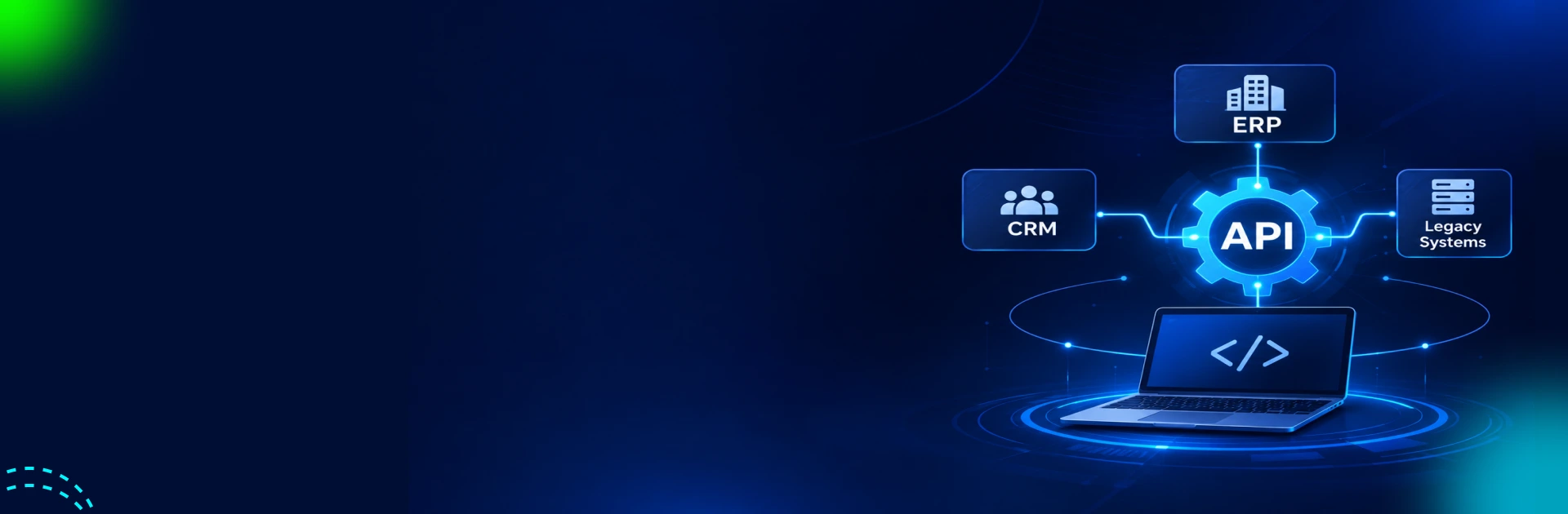
- API integration connects your ERP, CRM, and legacy applications into a shared operating environment without requiring you to replace systems that already support critical business functions
- Your integration architecture determines how reliably business transactions move across systems, particularly when real-time processing and legacy infrastructure coexist
- Custom API development gives you greater control over proprietary workflows, while iPaaS platforms offer a faster route for standard connections
- Legacy systems without REST APIs are not integration dead ends. SOAP, message queues, database connectors, and custom wrappers provide alternative connection methods
- AI agents extend API integration beyond data exchange by allowing applications to retrieve information, make context-based decisions, and execute approved business operations.
A sudden CRM upgrade can break an existing ERP interface. Customizing the latter can change the fundamental structure of order data. Worse, legacy systems often fail to expose the functionality newer platforms need to deliver expected business ROI. At this stage, your engineering team ends up maintaining connections and not improving business systems.
ASUG’s Enterprise Integration Research study discovered that 39% of participants reported incompatibilities between SAP and non-SAP applications. For example, connecting an SAP ERP with a Salesforce CRM tool and your enterprise’s proprietary legacy applications. As these have fundamentally different architectures, your primary challenge in 2026 is deciding how to connect them without rebuilding the core apps that already support your day-to-day business operations.
IBM’s State of Salesforce report 2025-26 further found that 64% of Salesforce customers recognized legacy system modernization as their biggest roadblock. A modern CRM exposing webhooks and REST APIs and an older ERP relying on SOAP services, database-level access, and proprietary connectors cannot be connected with a generic point-to-point integration strategy. Otherwise, you will end up with dependencies that make vendor migrations, upgrades, and workflow changes increasingly expensive.
Having said that, we have prepared a detailed guide on designing a strong enterprise API integration strategy for your CRM, ERP, and other legacy systems in 2026. Whether you want help with the integration architecture, middleware selection, or understanding deployment strategies, we have everything covered.
What is API Integration?
API integration connects ERP, CRM, and legacy systems through defined interfaces so they can exchange data and trigger actions without manual re-entry. The right approach depends on three things: whether each system exposes a usable API, how much custom business logic sits in the ERP, and how many systems must stay in sync.
Types of APIs Used in Enterprise Integration
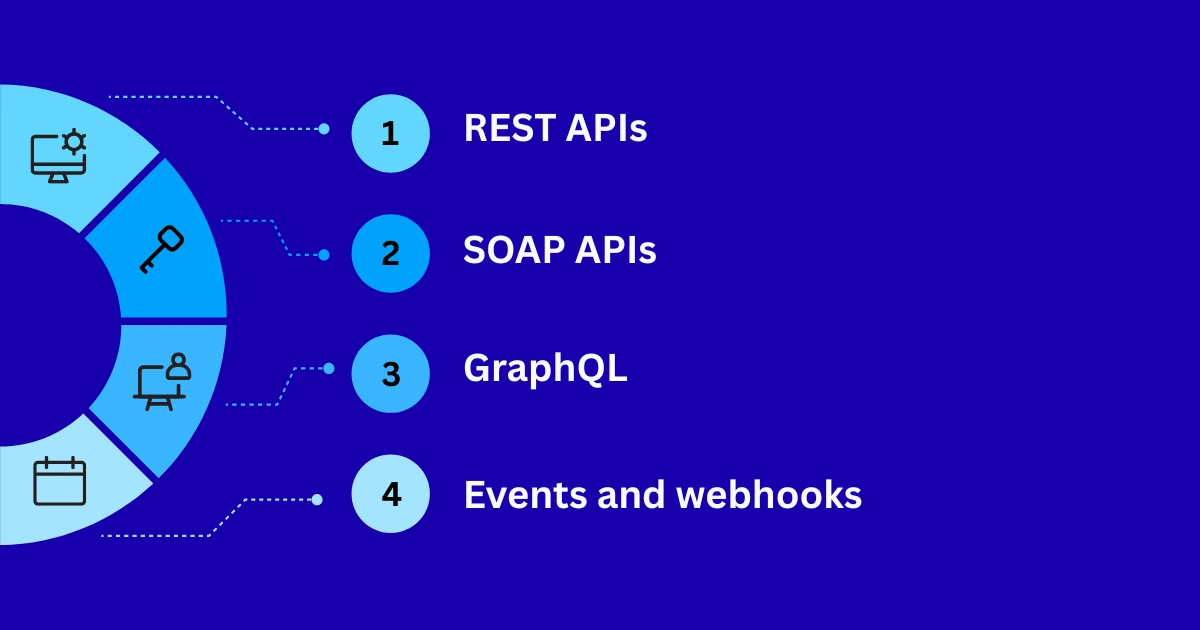
REST APIs
Both your ERP and CRM platforms can be connected using RESTful APIs to allow data sharing between modern applications. By doing so, your sales team, who initially approved an order in Salesforce, won’t have to manually send the order details to the NetSuite ERP. The REST connection will have the communication covered. What’s more, it can also pull in any updates on stock levels automatically, ensuring your teams remain updated on when they can approve shipping.
Now, before you invest in this architectural design, do consider how well the integration handles limits of different vendor APIs. Otherwise, a connection that worked excellently during normal operations won’t perform as expected during peak seasonal sales.
SOAP APIs
These are most relevant when your existing ERP uses older, contract-based interfaces to expose business functions to the external world. Let’s consider an Oracle E-Business Suite with which you want to process purchase orders. Now, it can use a SOAP service that works with a specific XML-formatted data structure. While introducing Salesforce or a modern procurement platform, you won’t have to rebuild the service again and again.
Using a middleware interface, you will be able to convert the requests into the required data format. In addition, you won’t have to redevelop the purchase logic to suit the new application. The downside is that if the service contract changes, then careful planning will be required to ensure that this doesn’t affect the applications that rely on it.
GraphQL
If you want just the CRM or the ERP to pull hyper-specific information from multiple systems, you can use GraphQL to build the integrations. Let’s consider that you want to build a customer-facing portal. Its primary function will be to assist your clients in case they plan to cross-check their outstanding invoices and order statuses. Now, your ERP stores all the invoice records, while the CRM you use is the warehouse for the service history information and customer details.
With GraphQL, the portal can request specific fields it needs through a single interface. There’s no need to make separate API calls for individual screen components. Also, you won’t have to duplicate the ERP and CRM databases just to speed up customer experience. However, make sure the GraphQLs can fetch current and relevant information only from the underlying connected systems.
Events and webhooks
These are most useful when one system needs to respond to a business transaction in another, and you cannot afford to wait for someone to manually trigger the update. To understand this better, consider the order fulfilment process. Once the ERP confirms an order after performing all the due diligence on the inventory, it can publish a confirmation event. This will trigger the WMS to begin fulfilment.
At the same time, it will also send an update to the CRM so that your sales representatives can be aware. Now, when a single application is involved, you can use the webhooks. But for larger workflows, it’s better to rely on event brokers.
Which Systems Should You Connect First?
ERP
This system often sits at the top of the integration priority list because it controls all transactions directly affecting both revenue and operating expenses. Consider a scenario where your ERP receives updates about newly accepted sales orders several hours after they were approved in the first place. The bottleneck that gets created is something you might have never accounted for. Both your procurement and warehouse teams are forced to work with delayed demand information. The moment your business handles high-volume distribution or multiple fulfilment locations, this delay will cost you thousands of dollars, if not millions. So, here’s what you should do.
CRM: Connect Customer and Sales Data
Even a small missing detail can lead to poor sales decisions and silently eat away at your profits. That’s why CRM integration should be your next priority. Unless you connect your customer and sales data with the inventory, you can never speed up order fulfilment and prevent unnecessary cancellations or disputes. However, make sure that, in the process of doing so, you don’t end up burdening your teams with another financial and sales ledger they have to sift through manually.
Once you put the API in place, it will automatically fetch all the required information from the ERP, especially at times when your sales team discovers a lead opportunity. All you have to decide is the information that should be updated in real time. In case you want some detail categories to be updated periodically, like after the order window closes every day, go for configuring a sync schedule.
Data platforms and analytics: Unify Business Intelligence
You can rely on the management reports only if the information behind those graphs and charts is reliable. Often your sales reports might signal a strong growth curve. But if you look at the ERP records, it’s an entirely different story. That’s because several large-scale orders continue to remain unfulfilled or unpaid. Until and unless you reconcile the underlying information, you won’t be able to resolve these differences in a spreadsheet.
This is where CRM or ERP integrations with data platforms like Snowflake or Microsoft Fabric come into play. Whether it’s the projected sales volumes or the invoiced revenue, you can then easily compare actual orders against different attributes. If you need help building that layer, see our business intelligence and analytics services.
Payment gateways: Automate Payment Processing
While dealing with customer invoices, your sales team often has to put in lots of manual effort in distinguishing paid bills from those yet to be paid. Suppose a B2B company accepts card payments through Stripe. At the same time, it relies on NetSuite to maintain invoices and receivables. Now, when the system indicates that a payment is successful, it doesn’t automatically signal that the corresponding invoice has been settled correctly.
If you do not build the right connection, your team will still be burdened with manual tasks, like:
- Investigating transaction references
- Reconciling account balances
- Following up with partial payments
But once you integrate the payment gateway, be it Stripe or anything else, with your ERP, addressing this problem will become easier. The moment your system records a payment confirmation, the APIs will automatically update the relevant financial records. For this kind of work, our third-party API integration services cover payment gateways and SaaS connections.
Legacy and mainframe integration: Extend Existing Systems
There’s no doubt that replacing a decade-old system immediately at the first chance you get won’t make sense most of the time. After all, it has been supporting your core business operations for so many years. Besides, it has probably accumulated thousands of datasets, migrating which to a newer software will be another headache you probably don’t need on your plate. Let’s consider your manufacturing workflows still using an 11-year-old production system. It wouldn’t be a surprise for anyone if you discover that it contains custom scheduling rules and equipment-specific logic.
If you decide to shift this entire setup into a new ERP, not only will you end up with an extended timeline but also likely to introduce unnecessary production risks. Now comes API-based integrations! These will help you expose only those specific legacy functions that your new applications need. As for the processes that are already established and stable enough, you can retain them just where they are now.
If you’re also considering modernizing, read our guide to enterprise application modernization. For hands-on help connecting older systems, see our legacy integration and modernization services. If AI agents will sit on top of those systems, see connecting AI agents to legacy systems.
Can You Integrate Legacy Systems That Don’t Have APIs?
Yes. Legacy systems without REST APIs can be connected through SOAP services, database connectors, message queues, file transfers (SFTP or EDI), or a custom API wrapper. Robotic process automation is a last resort for when the screen is the only interface. Choose the least invasive method that preserves the existing business logic.
Work down this list and stop at the first option that fits:
- Native or SOAP API. Check what the system already exposes. Many older ERPs have SOAP services that middleware can translate.
- Database procedures or connectors. Use stored procedures or views, only with the vendor’s support and read-heavy access.
- Message queues. Place a queue between systems so the legacy side processes at its own pace.
- File exchange. Use batch files, EDI or SFTP drops for systems that already run on scheduled jobs.
- Custom API wrapper. Build a thin layer that exposes specific legacy functions through a governed, modern API.
- RPA. Use bots on the user interface only when nothing above is possible, isolated behind adapters with fallback queues.
Which API Integration Architecture Fits You?
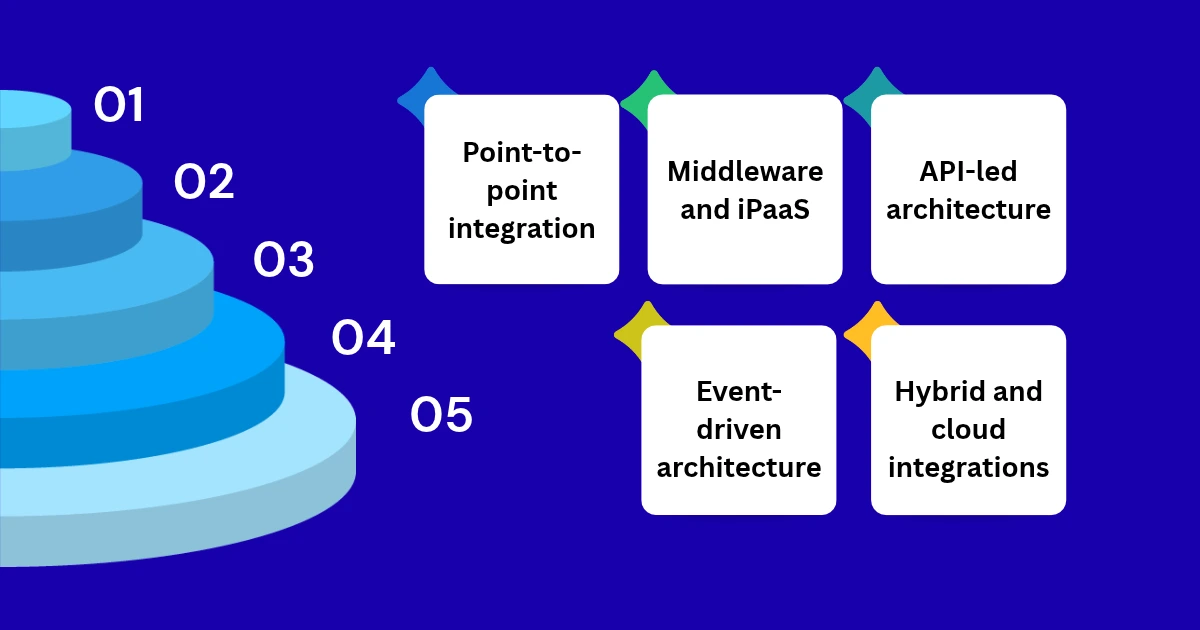
Point-to-point integration
Here, two or more applications can be connected directly using REST or SOAP APIs as your business requires. All you have to do is coordinate with your engineering team properly so that they can define how different parameters will work in sync to stabilize the connection, including:
- Requests from external portals
- Data mapping rules
- Authentication systems
- Error handling logic and escalation matrix
Suppose you have Salesforce sending approved lead opportunities to SAP so that orders can be created accordingly. Once you move the point-to-point integration in place, it will handle this workflow single-handedly without asking for manual intervention. By doing so, not only can you avoid paying for unnecessary licensing fees but also flexibly tailor the connection to suit your business’s core operational standards.
The trade-off? With every additional integration, you will have another software added to your annual maintenance roadmap. What’s more, a simple field name change in the ERP or a version update of an API will require separate development and testing cycles. So, before you proceed further, make sure to assess what the long-term maintenance overhaul looks like for the next two to three years at the least.
Middleware and iPaaS
It provides a central integration layer through which multiple applications can communicate with one another easily. Here, you won’t need separate interfaces, especially if you use an iPaaS. Its managed platform offers multiple features you can use to stabilize the entire integration ecosystem, including:
- Connectors
- Workflow orchestration tools
- Data mapping logic
- Transaction monitoring
Let’s consider your business ecosystem using Salesforce to capture sales leads, NetSuite as the finance storehouse, and Shopify for online commerce. Now, with an iPaaS, the middleware platform will receive a customer order directly from Shopify. It will then validate and transform all the fields before sending the details to NetSuite. Once the order gets processed, it will again fetch the order reference ID and return the same to Salesforce. The benefit? Your engineers won’t have to spend weeks building routine connections, and your support team gets a unified view of all failed transactions.
The downside, however, is immense platform dependency you should plan on beforehand. If you want to customize ERP workflows, you might have to invest in custom code. On the other hand, connectors can put limitations on how much of the core business workflows you can automate. Also, there’s a chance you will get stuck in a vendor lock-in loop, which will further create problems when switching middleware providers 5 years later.
API-led architecture
It allows you to organize all types of integrations around reusable API components so that you can easily keep access to core systems and application-specific requirements distinct. Here, you won’t have to allow every new application added to your technical landscape to connect directly to your ERP. Instead, your developers will create governed interfaces so that you can expose only those capabilities that are extremely essential for the systems to function coherently.
An order management API, for example, can fetch necessary details from the SAP ERP, while a business API becomes responsible for applying cancellation rules or determining same-day delivery eligibility. You can also use these same interface services for your customer and sales portals. The value lies in the fact that you won’t have to spend money and time replicating the underlying ERP logic separately for every connection. With no duplicated development in the picture, replacing any application won’t create workflow disruption risks.
Event-driven architecture
Once any business event takes place, your application ecosystem will rely on a message broker or an event streaming platform to distribute notifications accurately without a lag. Suppose your SAP ERP confirms a shipment. It will automatically publish an event so that all the subscribed systems can begin independent processing. This way, you won’t have to manually perform tasks like:
- Updating fulfilment records in the warehouse system
- Refreshing customer order status within the CRM
- Sending tracking details through the notification service
No application, whether it’s your ERP or the legacy system, will have to wait for all the downstream platforms to respond. The only drawback that you might come across is maintaining consistency. If you need to build this layer, see our Apache Kafka development services. So, the smarter approach will be to budget for various parameters before you invest in an event-driven architecture, including:
- Message monitoring
- Retry mechanisms
- Duplicate-event protection
- Reconciliation
Hybrid and cloud integrations
Whether you are a SaaS startup or a retail enterprise, it wouldn’t be a surprise if you rely on both cloud applications and systems strictly operating in private data centers or on-premises infrastructure. If we talk about building a solid, stable connection between these, no other approach will be as economically fitting as implementing hybrid APIs. Let’s consider a hypothetical scenario where you use a Salesforce cloud CRM tool. Now, once it receives an order status update request, it will have to fetch the customer’s credit card details from the on-premises ERP. Now, here, you can use a secure integration gateway or a middleware agent to manage all the requests.
By doing so, you won’t have to expose your core business logic to the internet and unnecessarily welcome risks of data breaches. At the same time, you also get the opportunity to retain established systems. Simultaneously, you won’t have to worry about too many restrictions in case you want to adopt new cloud applications. The trade-off that comes with this is operational complexities across two very different infrastructure setups. Our AWS and Azure cloud deployment services cover that side.
Build vs Buy vs iPaaS: How to Decide
Choose custom integration for proprietary, multi-step business logic; a prebuilt connector for standard, supported connections; and an iPaaS when several systems across departments need central monitoring and orchestration.
The decision between buy vs iPaaS vs custom API depends on the extent of differences existing between your integration needs and standard business workflows. When your ERP uses custom pricing rules or the established order process logic requires validations across two or more legacy apps, building a tailored integration makes the most sense. That’s because you gain more control over handling the transactions. The cost, however, surfaces in the form of long-term engineering ownership. Someone will have to maintain code consistency once SAP changes the interface or Salesforce updates its API version. If that sounds like your situation, our custom software development services are built for it.
A prebuilt connector becomes more economical only when your business requirements closely align with a supported integration. The best use case example will be synchronizing customer records between Salesforce and NetSuite. However, here, you should check if the connector is capable enough of handling your actual billing and order workflows. Do not solely rely on basic field synchronization capability.
As for iPaaS, it’s worth considering when your business needs to coordinate different integrations across several departments simultaneously. With this, you get a centralized monitoring platform, which will ultimately eliminate the need to maintain separate connections for each involved system, be it an ERP, a payment gateway like Stripe, or a legacy app. But before you proceed, make sure to factor in both licensing and transaction charges beforehand, as these will affect your overall operating costs each year.
| Decision factor | Custom-built integration | Prebuilt connector | iPaaS |
| Best suited for | Complex, business-specific workflows | Standard application connections | Multiple interconnected systems |
| Initial investment | Higher development cost | Usually lower setup cost | Setup and subscription costs |
| Implementation time | Depends on complexity | Usually faster | Moderate; depends on configuration |
| Customization | High control over business logic | Limited to supported features | Varies by platform and plan |
| Maintenance | Your team owns the code | Shared with connector provider | Platform-managed with internal oversight |
| Scalability | Requires engineering as needs grow | Limited by connector capabilities | Supports expanding integration requirements |
| Main trade-off | Ongoing development responsibility | Less flexibility for custom workflows | Vendor dependency and recurring fees |
| Example use case | Custom ERP order approval workflow | Salesforce–NetSuite account sync | Coordinating ERP, CRM, ecommerce, and finance systems |
Popular API Integration Tools Compared
Different API integration tools serve different needs, which is why your choice must reflect how you actually want to run the systems to be connected and manage your workflows’ complexity levels. MuleSoft Anypoint Platform, for example, is perfect for an enterprise-grade setup where you need reusable APIs across complex applications. Boomi, on the other hand, is a practical option to connect CRM, ERP, and cloud apps through a managed integration platform.
Workato works excellently for automating workflows across SaaS applications without forcing you into custom development. You can also consider using Azure Logic Apps if your infrastructure already relies a lot on Microsoft Azure. On the contrary, AWS API Gateway is perfect for managing and securing APIs within AWS-specific environments.
| API integration tool | Best suited for | Integration capabilities | ERP/CRM connectivity | Deployment options | Key consideration |
| MuleSoft Anypoint Platform | Large enterprises with complex integration environments | API lifecycle management, data transformation, orchestration | SAP, Salesforce, Oracle and other enterprise systems | Cloud, hybrid, on-premises | Powerful governance, but implementation and licensing require significant investment |
| Boomi | Businesses connecting multiple enterprise applications | Low-code integration, data mapping, workflow automation | SAP, NetSuite, Salesforce, Microsoft Dynamics | Cloud, hybrid | Evaluate connector coverage and transaction-based pricing |
| Workato | Teams automating cross-department workflows | Workflow automation, API integration, event-based triggers | Salesforce, NetSuite, SAP and SaaS applications | Cloud | Task-based pricing and complex workflow costs need consideration |
| Azure Logic Apps | Organizations using Microsoft Azure | Workflow orchestration, managed connectors, API integration | Dynamics 365, SAP, Salesforce and other systems | Azure cloud, hybrid connectivity | Azure consumption costs and connector limitations |
| AWS API Gateway | Businesses developing and managing APIs on AWS | API publishing, routing, throttling, authentication | Connects to ERP and CRM through backend APIs and services | AWS cloud | Requires additional services for complete integration workflows |
| Jitterbit Harmony | Mid-market and enterprise integration projects | Application integration, data transformation, API management | Salesforce, SAP, NetSuite and other business platforms | Cloud, hybrid | Assess customization requirements and connector capabilities |
| SnapLogic | Data-intensive enterprise integration | Visual pipelines, application integration, data movement | SAP, Salesforce, Oracle and cloud applications | Cloud, hybrid | Pipeline complexity and platform pricing need evaluation |
| Informatica Intelligent Data Management Cloud | Enterprises managing complex data environments | Data integration, quality, governance, and application connectivity | SAP, Salesforce, Oracle and Microsoft platforms | Cloud, hybrid | Particularly relevant when data quality and governance are major concerns |
| Celigo | Businesses integrating ecommerce and back-office applications | Prebuilt integration flows, data synchronization, automation | NetSuite, Shopify, Salesforce and ecommerce platforms | Cloud | Check whether prebuilt flows accommodate custom business processes |
| Make | Small and mid-sized businesses automating SaaS workflows | Visual workflow automation, API connections, data transformation | CRM, ecommerce, marketing, and finance applications | Cloud | Less suitable for complex, high-volume enterprise integration without additional engineering controls |
How to Integrate ERP, CRM and Legacy Systems: 7 Steps
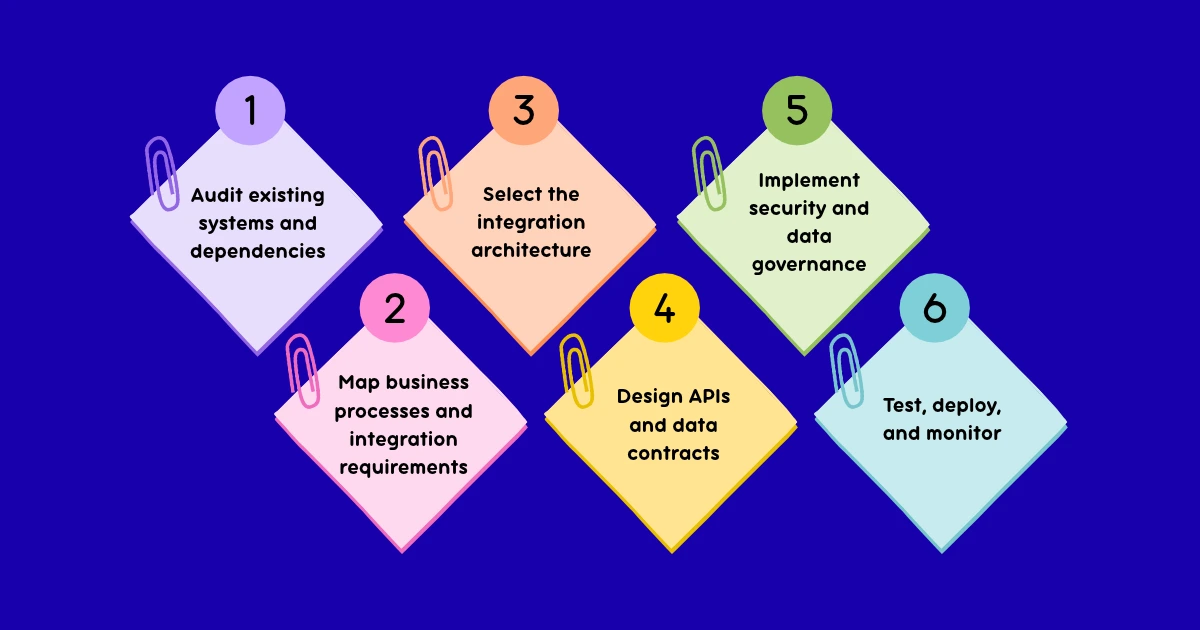
Audit existing systems and dependencies
Begin with an interface-level assessment of all the applications that you want to bring together within one integration setup, be it your ERP, cloud CRM, or an on-premises legacy app. Here, your team will have to establish which business function each system owns and how other applications access them currently. For example, the SAP platform might continue to retain customer credit limits, while the decade-old AS/400 software might be in charge of processing manufacturing schedules.
In such a scenario, you will have to examine key parameters, including:
- Available API endpoints
- SOAP services
- Database procedures
- EDI connections
- Batch interfaces
For each interface, record the direction of data exchange and transaction volumes handled. Only by doing these will you get a realistic picture of what you need to redevelop, the licensing dependencies you need to manage, and the systems that might need specialized integration adapters going forward.
Map business processes and integration requirements
Translate each business workflow into a well-defined transaction sequence before you proceed with actual development. For order-to-cash integration, specify key aspects like:
- When Salesforce will submit an order
- How the ERP will validate customer credit and contractual pricing
- When the warehouse is likely to receive an approved fulfilment request
In addition, you also need to establish how backorders, partial acceptance, and rejected order lines will return to your CRM. For an AI API integration, it’s crucial for you to pinpoint the business data available to the underlying LLM and the action sequences it can trigger.
Select the integration architecture
Whether it’s the API-based architecture or the hybrid ERP integration (cloud + legacy) approach, make sure your selection is rooted in your business’s actual requirements, and not any hypothesis. Suppose you want to handle a contained Salesforce-to-ERP order submission workflow. For this, a direct API connection will be most feasible.
On the other hand, a centralized middleware becomes more valuable if the same transaction is supposed to update warehouse management and finance applications. With an iPaaS, you can manage standard connectors and transformations, while custom platforms offer more control over your business’s proprietary ERP logic.
Design APIs and data contracts
Always design the interfaces around business entities and transaction rules shared between all your core applications. Customer master-data integration, for example, will require more than simply matching names and addresses. Here, you will have to define how Salesforce account IDs maps to ERP customer numbers, including attributes like:
- Separate billing entities
- Ship-to locations
- Legal subsidiaries
As tax identification and payment terms are often subjected to frequent changes, you must establish rules for duplicate detection. For sales orders, plan how the payload structure will look like for product identifiers, quantities, unit prices, discounts, and requested delivery dates.
Implement security and data governance
API access should be grounded in financial authority and the sensitivity of the information being exchanged between different applications, whether it’s the CRM, ERP, or legacy systems. For this, use separate service identifiers for payment updates, invoice retrieval, and order submission. Apply Oauth 2.0 wherever supported, with scoped permissions and managed credential rotation.
You should also pay attention to industry-specific connections, like HIPPA or PCI DSS API integration. As for critical PII like cardholder data, make sure to retain them within appropriate payment environment. Always use tokenized references to communicate payment status to the ERP platform.
Test, deploy, and monitor
Validate the end-to-end transaction lifecycle, and not just limit the testing scope to individual endpoints in isolation. For an order integration, test the CRM submission through ERP validation, inventory allocation, warehouse acknowledgment, shipment confirmation, and invoice creation. Always use realistic scenarios involving negotiated discounts, partial shipments, and customer credit holds.
Before you go live, establish appropriate API governance so that each critical interface can have a dedicated owner for change approvals and understanding the downstream dependencies. Maintain versioned API contracts and a controlled deprecation process. By doing so, you can ensure that any type of application upgrade won’t break the dependent workflows silently. A dedicated QA and software testing team helps cover the edge cases.
API Integration Use Cases by Industry
Healthcare
A hospital network can integrate Epic or Oracle Health with Quest Diagnostics, pharmacy systems, and Waystar or Change Healthcare revenue cycle platforms. FHIR R4 APIs help exchange patient and encounter data, while HL7 v2 interfaces are responsible for carrying ADT messages and laboratory results.
Integrations also connect eligibility verification and claims submission workflows, thereby allowing businesses to reduce mismatches between clinical and documentation, payer requirements, and submitted charges. See our healthcare software development services and our guide to HIPAA-compliant app development.
Financial services and insurance
A US bank can connect its core banking platform with The Clearing House RTP network, ACH processing, fraud detection, and loan servicing systems. Financial APIs should carry settlement status and transaction identifiers across these services for better reconciliation and data integrity.
Insurers, on the other hand, encounter a completely different integration challenge. They need to connect Guidewire PolicyCenter and ClaimCenter with underwriting data providers, payment platforms, and document systems. Only then can they maintain consistent policy records for coverage verification and claims disbursement. Explore our fintech app development work.
Manufacturing and logistics
A manufacturing company using SAP S/4HANA can connect its production orders with Siemens Opcenter MES and supplier EDI transactions. Here, the integration must return actual material consumption, scrap quantities, and production completion status to ERP costing.
As for logistics operators, they can connect platforms like Manhattan WMS and MercuryGate TMS. This will help them to establish seamless data exchange pipelines for shipment tenders, dock appointments, freight status, and proof of delivery. See our logistics software development.
Education
In the edtech industry, a US-based university can integrate Banner or PeopleSoft Campus Solutions with Canvas, Blackboard, and its corresponding payment processor. The most critical workflow here is keeping course registration, student account balances, and LMS access aligned. For example, an enrolment change should update the student’s course access and tuition calculation without creating duplicate records. Our education app development page covers related builds.
Retail and online commerce
A retailer running Shopify Plus alongside NetSuite or Microsoft Dynamics 365 can integrate order capture with inventory allocation and financial posting. The integration architecture must account for marketplace orders, store pickups, split shipments, sales tax calculations, and returns. As for Amazon orders, settlement reports should reconcile referral fees and refunds against ERP transactions. See our ecommerce development company services.
| Industry | Use Case | Business Takeaway | Challenge | Cost Range (USD) |
| Healthcare | Connecting Epic or Oracle Health with a claims platform so encounter documentation flows into billing and claim submission | Reduces revenue leakage caused by discrepancies between documented services and submitted claims | Mapping clinical data to payer-specific claim requirements while maintaining HIPAA-compliant access controls | $40K–$150K+ |
| Financial Services and Insurance | Integrating a bank’s core system with ACH or RTP payment processing to synchronize transaction status and settlement records | Gives finance teams a consistent view of payment execution and settlement rather than relying on separate transaction reports | Preserving transaction integrity across legacy banking systems and payment networks with different processing schedules | $50K–$200K+ |
| Manufacturing and Logistics | Connecting SAP S/4HANA with a manufacturing execution system so actual production consumption and output update ERP records | Improves production costing because financial records reflect what the plant actually produced and consumed | Translating machine-level production data into ERP transactions without disrupting plant operations | $40K–$180K+ |
| Education | Integrating Banner or PeopleSoft with Canvas so course registration changes control student access to the correct learning environment | Reduces administrative corrections and keeps enrollment records aligned with course access and tuition status | Maintaining accurate student identities and access permissions across institution-managed and third-party platforms under FERPA | $25K–$100K+ |
| Retail and Online Commerce | Connecting Shopify Plus or Amazon orders with NetSuite so marketplace sales, refunds, and settlement amounts reconcile with financial records | Gives finance teams a reliable view of channel profitability instead of treating gross order value as collected revenue | Reconciling marketplace fees, refunds, sales tax, and settlement timing at the individual transaction level | $20K–$100K+ |
Common API Integration Challenges and Fixes
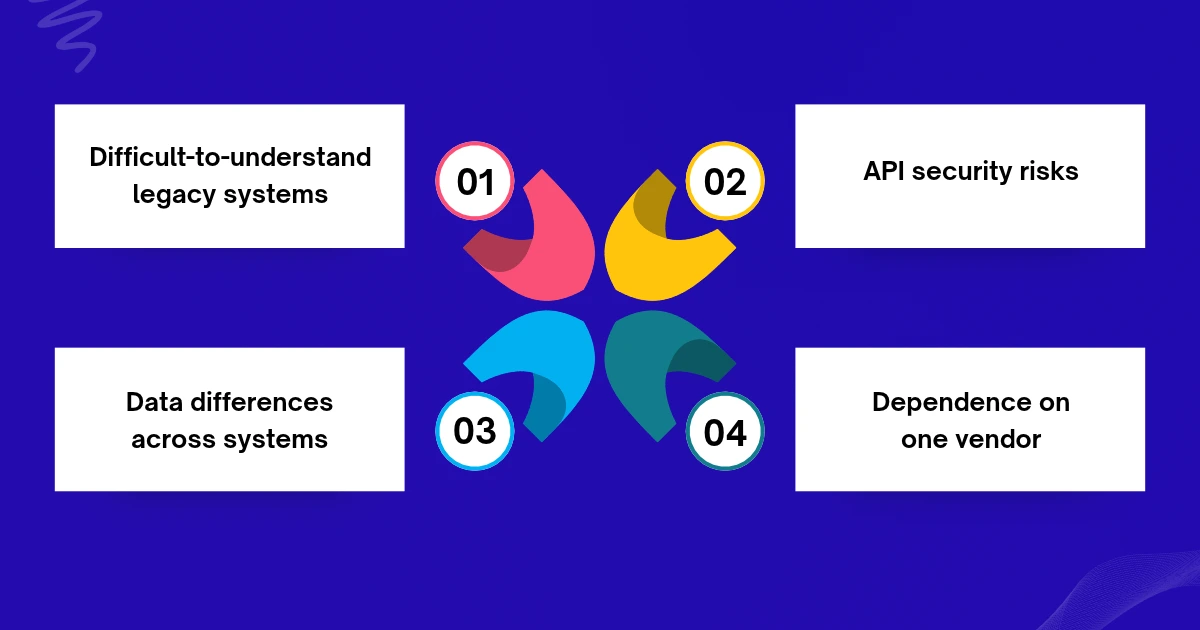
Difficult-to-understand legacy systems
An older ERP can process purchase orders through a nightly COBOL batch job rather than an accessible API. The moment you attempt to replace this process without understanding its validation rules, you end up interrupting the stable purchasing workflow. So, make sure to review actual input files, rejection logs, processing schedules, and downstream accounting entries. Only when you are done with this should you start building the API around the existing transaction process. Never rewrite the business logic during integration.
Data differences across systems
The Salesforce CRM tool might identify customers using Account IDs, while your ERP can use separate customer numbers for delivery locations and billing. If you try to synchronize these platforms directly, there will be risks of duplicate account creation or order assignment to the wrong entity. The key here is to define which system owns each record and maintain an ID mapping table. Also, make sure to test customer mergers and address updates against existing open orders before switching on the synchronization workflow.
API security risks
A connector that uses an administrator account to submit orders also receives access to functions it never needs. As this will expose the API endpoints unnecessarily, you must create a dedicated integration account with permissions to perform only the required transactions. When payment processing is involved, send tokenized card references rather than the actual card numbers through the ERP or the middleware platform.
Dependence on one vendor
An iPaaS provider usually charges according to the number of tasks or transactions processed. A workflow that runs for every order line will, therefore, cost substantially more than one triggered per order. That’s why it’s important you review actual consumption before signing a contract. Keep transformation rules and API documentation accessible outside the platform. By doing so, you can ensure another provider can maintain the integration without rebuilding its business logic.
API Security and Compliance
When you connect your ERP, CRM, and third-party applications, you extend your security boundary beyond the systems you directly control. That’s why the API integration strategy you design should account for US requirements such as HIPAA and PCI DSS 4.0.1, while following relevant NIST security guidance. The priority is protecting sensitive data and enforcing transaction-level access without compromising operational continuity.
| Compliance or Security Rule | Goal | Benefit or Use | Business Consideration | Consequence |
| HIPAA Security Rule – 45 CFR §164312 | Enforce unique user or system access, audit activity, verify identities, and protect ePHI transmissions | Controls EHR-to-billing, laboratory, and healthcare data exchange | Implement unique service identities, access logs, transmission safeguards, and business associate agreements with applicable vendors | HHS investigations, corrective action plans, and civil penalties for violations |
| PCI DSS v401 – Requirements 6, 8 and 10 | Secure application code, enforce authentication, and maintain audit logs for systems in PCI scope | Protects payment gateway, checkout, and ERP payment integrations | Apply MFA for access into the cardholder data environment, secure application accounts, and log access to payment data. Use tokenization to reduce card-data exposure | Failed assessments, contractual penalties, increased processing costs, or loss of payment processing privileges |
| GLBA Safeguards Rule – 16 CFR Part 314 | Protect customers’ nonpublic personal information through a documented information security program | Applies to covered financial institutions exchanging customer data with lending, CRM, and servicing platforms | Assess API vendors, restrict access to financial records, encrypt customer information, and monitor service-provider controls | FTC enforcement: A qualifying breach involving at least 500 consumers’ unencrypted information triggers FTC notification within 30 days of discovery |
| SOX Section 404 – Internal Control Over Financial Reporting | Ensure controls support reliable financial reporting and prevent or detect material misstatements. | Applies to ERP integrations affecting revenue, inventory valuation, accounts payable, and general ledger entries at covered public companies | Preserve approval records, segregation of duties, change logs, and reconciliations between source transactions and ERP postings | Material weaknesses must be disclosed; management cannot conclude that financial reporting controls are effective when a material weakness exists |
| NIST SP 800-228 (March 2026 update) | Address API vulnerabilities through pre-runtime and runtime security controls | Guides API gateway configuration, schema validation, service authentication, and runtime protection | Maintain an API inventory, validate request and response schemas, enforce rate limits, and test authorization at the object level | No direct regulatory penalty Weak controls increase exposure to API attacks and can undermine security assessments |
| SOC 2 Trust Services Criteria | Evaluate controls for security, availability, processing integrity, confidentiality, and privacy | Helps establish security assurance for SaaS providers and integration partners handling business data | Review the SOC 2 Type II report, audit period, exceptions, access controls, and change-management findings before vendor onboarding | No direct statutory penalty for lacking a report; failure to meet customer assurance requirements can delay or prevent enterprise contracts |
How Much Does API Integration Cost and How Long Does It Take?
API integration for a focused startup project typically costs $10K–$30K and takes 2–6 weeks. Costs can pass $100K and run several months when the work involves customized ERP workflows or legacy systems without modern APIs. Real-time processing, custom business rules and the number of connected systems drive most of the difference.
For a startup, API integration costs start at $10K–$30K for an MVP-focused project, with implementation taking around 2–6 weeks. The budget changes significantly when an integration must accommodate customized ERP workflows or older systems without modern API support. In that case, development can exceed $100K and take several months.
The key cost decision is how much existing functionality you can reuse. A supported connector keeps development lean, whereas proprietary business rules require custom engineering. Real-time transaction processing also demands more infrastructure and testing than scheduled synchronization. Evaluate these trade-offs against your current transaction volume and growth plans before committing to an integration architecture. To get an estimate based on your actual systems, start with a project discovery session.
| Cost Factor | Scope of Work | Typical Cost (USD) | Timeline Impact | Business Consideration |
| API complexity | Developing custom endpoints or adapting proprietary APIs | $5K–$20K | 2–5 weeks | Check whether the provider’s existing API supports the required business operations before funding custom development |
| Number of system connections | Connecting additional applications and configuring their data flows | $3K–$10K per connection | 1–3 weeks per connection | Prioritize integrations that remove manual work or unblock revenue-generating workflows |
| Legacy system integration | Building adapters for older ERP platforms, SOAP services, or batch-based applications | $15K–$50K+ | 4–12 weeks | Confirm whether the legacy vendor supports external access or requires paid implementation assistance |
| Data mapping and transformation | Aligning customer IDs, product codes, pricing rules, and transaction formats | $5K–$20K | 2–6 weeks | Resolve master-data ownership before development to avoid expensive reconciliation work |
| Security implementation | Configuring authentication, authorization, encryption, audit logging, and compliance controls | $3K–$15K | 1–4 weeks | Determine the regulatory scope and access requirements before selecting an integration architecture |
| Middleware or iPaaS | Configuring integration platforms, connectors, routing, and monitoring | $5K–$25K implementation, plus licensing | 2–6 weeks | Compare subscription and transaction-based pricing against the cost of maintaining custom integrations |
| Testing and deployment | Performing transaction validation, load testing, user acceptance testing, and production rollout | $4K–$15K | 2–5 weeks | Budget for testing real business exceptions, not just successful API responses |
| Ongoing maintenance | Monitoring integrations, updating API versions, resolving failures, and supporting platform changes | $1K–$5K+ per month | Continuous | Estimate annual support costs and confirm who owns incident resolution before signing the development contract |
API Integration in the AI Era
In 2026, the real value of AI API integration lies in giving agentic bots complete but governed access to your business systems where decisions and transactions actually happen. Take the example of SaaStr. It uses Salesforce as a shared data source for 20+ AI agents across all its core business applications. If we talk about your startup, this use case demonstrates an opportunity to build multiple AI capabilities around one reliable customer database.
This way, you can ensure a sales agent uses the same account history as a customer support agent, thereby eliminating fragmented customer context. However, here, your priority should be maintaining accurate and consistent CRM records. Also, you will have to assign clear ownership to customer-specific data before introducing more agents.
Another example is that of Siemens. The company deployed AI agents to qualify inbound sales leads, addressing the workload that 2.5K unqualified leads created every month. The real opportunity for your business lies in automating the early stages of sales without expanding the headcount at the same rate as lead volume. An AI agent can help you assess incoming inquiries against your ideal customer profile and prepare qualified opportunities for human follow-up.
If you are planning for AI integration, always begin with a process that consumes significant employee time or slows down revenue operations. Do not proceed with the ambition of deploying multiple AI agentic bots straightaway. In addition, connect the AI app to the system that owns the relevant business data. Give it narrowly defined API permissions and measure whether it’s actually reducing processing time and manual intervention or not. For deeper coverage, see our AI agent development guide, our overview of multi-agent AI systems for enterprise, and our AI agent development company services.
API Integration Best Practices Checklist
A successful API integration should do more than move data between applications. It must preserve the business rules that govern each transaction, prevent inconsistencies across systems, and remain manageable as your technology stack grows. Use this checklist before approving an integration for production. Each point addresses an implementation decision that affects reliability, security, or long-term operating costs.
- Assigning ownership of every critical data field: Define which systems will control customer IDs, pricing, product records, inventory, and payment status. Prevent secondary applications from overwriting authoritative records.
- Documenting transaction-level business rules: Specify how the integration will handle credit holds, partial shipments, cancelled orders, refunds, and failed payments, instead of relying on basic field mapping.
- Choosing asynchronous or synchronous processing properly: Use synchronous APIs when the user needs an immediate decision. Use queues or events where downstream processing can be executed independently.
- Making write operations idempotent: Use unique transaction keys to prevent duplicate orders, invoices, or payments when clients retry after timeouts.
- Applying least privilege access: Give each integration its own service identity and restrict permissions to the operations it actually performs.
- Controlling API changes: Maintain versioning, ownership documents, and a deprecation process so that one system upgrade won’t disrupt connected applications.
How GMTA Approaches API Integration
At GMTA, our experts approach API integration as a business-system engineering challenge, not simply a task of connecting endpoints. We focus on making your existing applications work as one operational environment without forcing an expensive replacement of systems that still support critical workflows.
Our strength lies in handling mixed technology environments. We work across REST, SOAP, and GraphQL APIs, building custom adapters when older ERP platforms or legacy applications lack modern interfaces. You can retain stable business logic while exposing the functionality your newer applications need. We also select the integration pattern around the workflow itself, using event-driven connections for time-sensitive updates and batch processing where immediate synchronization adds unnecessary cost.
Security is built into implementation through OAuth 2.0 and JWT authentication, encrypted data transmission, rate limiting, and API gateway controls. Our dedicated team handles planning, development, testing, documentation, and deployment, followed by six months of free maintenance and support.
With 200+ completed projects across industries, we bring experience in integration environments where reliability and business continuity matter. We also assess whether custom development is genuinely necessary; for a few simple connections, an off-the-shelf iPaaS platform may be the more economical choice.
FAQs
What is API integration, and how does it connect ERP, CRM, and legacy systems?
API integration connects your ERP, CRM, and other business applications so they can exchange data and trigger actions without manual transfers. For example, a new order in your CRM can update inventory in your ERP. You get consistent records across systems while retaining each application’s existing business functions.
How much does API integration cost for a startup or small business?
API integration for a startup typically costs $10K–$30K for a focused project. Your budget increases when the work involves customized ERP logic, legacy systems, complex data mapping, or real-time processing. Middleware licensing and ongoing maintenance also affect total ownership costs. That’s why you should make sure to define transaction requirements before requesting development estimates.
Can you integrate legacy systems that do not have REST APIs?
Yes. You can integrate legacy systems through SOAP services, database connectors, message queues, file transfers, or custom API wrappers. The right approach depends on how your existing application exposes data and executes transactions. This lets you connect older infrastructure to modern applications without rewriting stable business logic.
What is the difference between API integration and middleware integration?
API integration connects applications through defined interfaces that allow them to exchange data or trigger operations. Middleware integration uses an intermediary platform to manage communication, transformation, routing, and orchestration between systems. You can use APIs without middleware, but middleware often simplifies integrations when your business operates across multiple applications and environments.
How does AI change API integration between ERP, CRM, and other enterprise systems?
AI adds a decision-making and execution layer to your existing integrations. An AI agent can retrieve customer records from your CRM, check order status in your ERP, and initiate approved actions through APIs. You must define its permissions, validation rules, and escalation paths so automated decisions remain within your business controls.
Can you integrate legacy systems that do not have REST APIs?
Yes. Use SOAP services, database connectors, message queues, file transfers, or a custom API wrapper, depending on how the application exposes data. See the full section above, “Can You Integrate Legacy Systems That Don’t Have APIs?”
What is API-led connectivity?
API-led connectivity organizes integration into reusable, governed API layers: system APIs that expose core systems, process APIs that apply business rules, and experience APIs that serve apps and portals. New applications connect through these layers instead of directly to your ERP, so replacing an application doesn’t disrupt other workflows.
When should you use an iPaaS instead of custom integration?
Use an iPaaS when several systems across departments need central monitoring and orchestration, and your workflows fit standard connectors. Choose custom integration when your ERP has proprietary pricing or order logic that connectors can’t handle. Compare licensing and transaction charges against the cost of maintaining custom code.
How long does ERP and CRM integration take?
A focused project can take 2–6 weeks. Customized ERP workflows or legacy systems without modern APIs can take several months, because adapters, data mapping, and end-to-end testing add time. The number of connected systems and real-time requirements drive most of the difference.
Should you integrate your ERP or CRM first?
Most teams start with the ERP, because it controls the transactions that directly affect revenue and operating expenses. Connect the CRM next so customer and sales data line up with inventory and fulfilment. Decide which fields need real-time updates and which can sync on a schedule.

Rishi Ram is CTO at GMTA Software, with 6+ years of experience in software architecture and technical leadership. He’s led GMTA’s work across fintech—including eWallet apps, mobile banking platforms, and Sharia-compliant fintech builds—as well as on-demand and taxi app development and AI-integrated products like fraud detection agents and workflow automation tools.