πŸš€ Launch with Confidence – 6 Months of Free Post-Launch Maintenance. Explore More
+
πŸš€ Launch with Confidence – 6 Months of Free Post-Launch Maintenance. Explore More
+
πŸš€ Launch with Confidence – 6 Months of Free Post-Launch Maintenance. Explore More
+
πŸš€ Launch with Confidence – 6 Months of Free Post-Launch Maintenance. Explore More
+
πŸš€ Launch with Confidence – 6 Months of Free Post-Launch Maintenance. Explore More
+
πŸš€ Launch with Confidence – 6 Months of Free Post-Launch Maintenance. Explore More
Portfolio
Blogs
Contact Us
Premium Home Management App services

WeLink β€” Smart Home Control Built Around Everyday Convenience

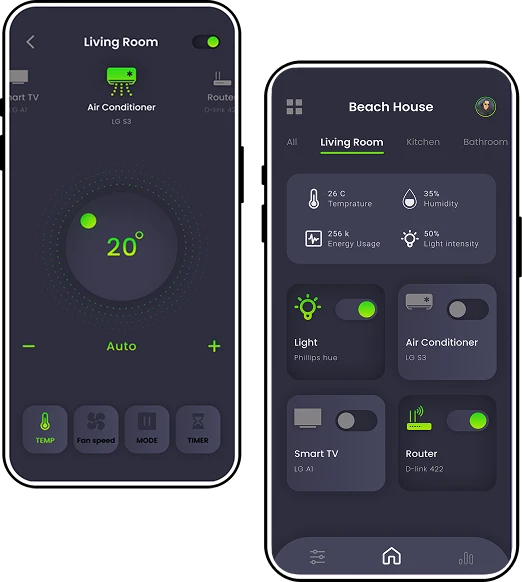
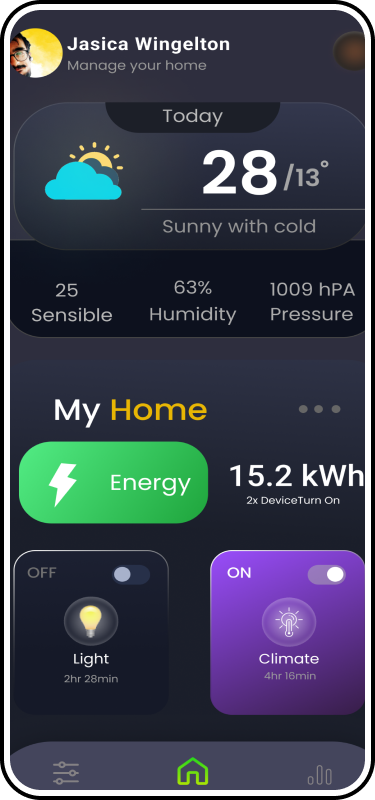
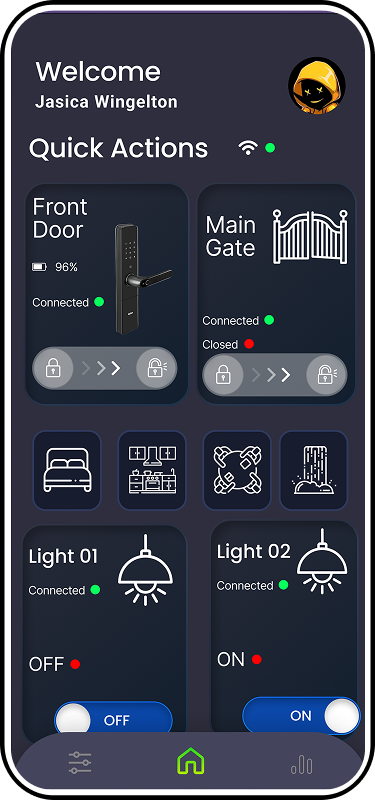
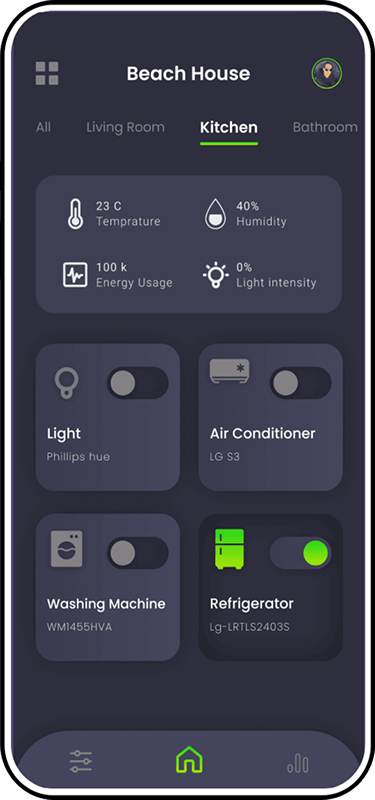
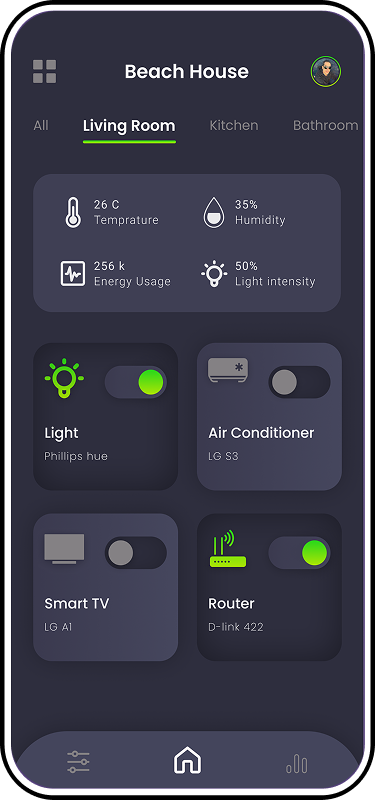
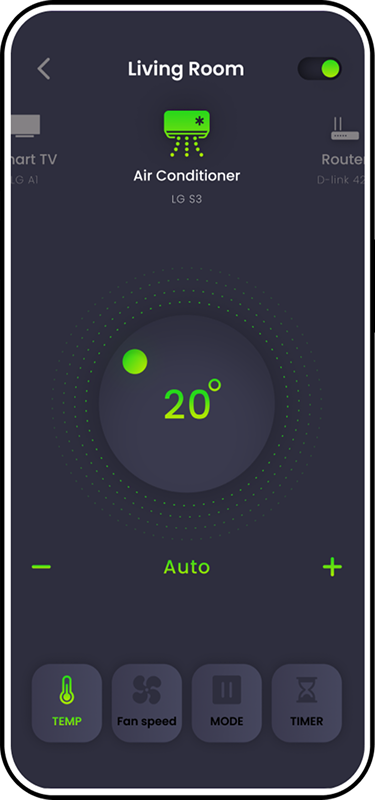
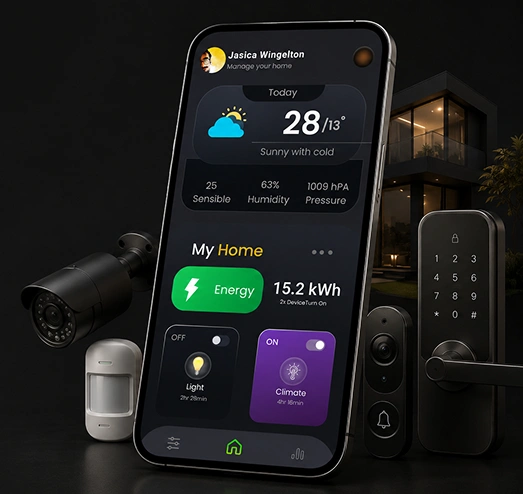
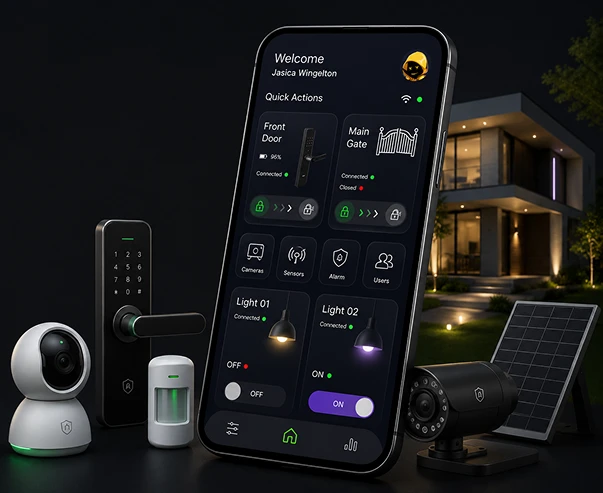
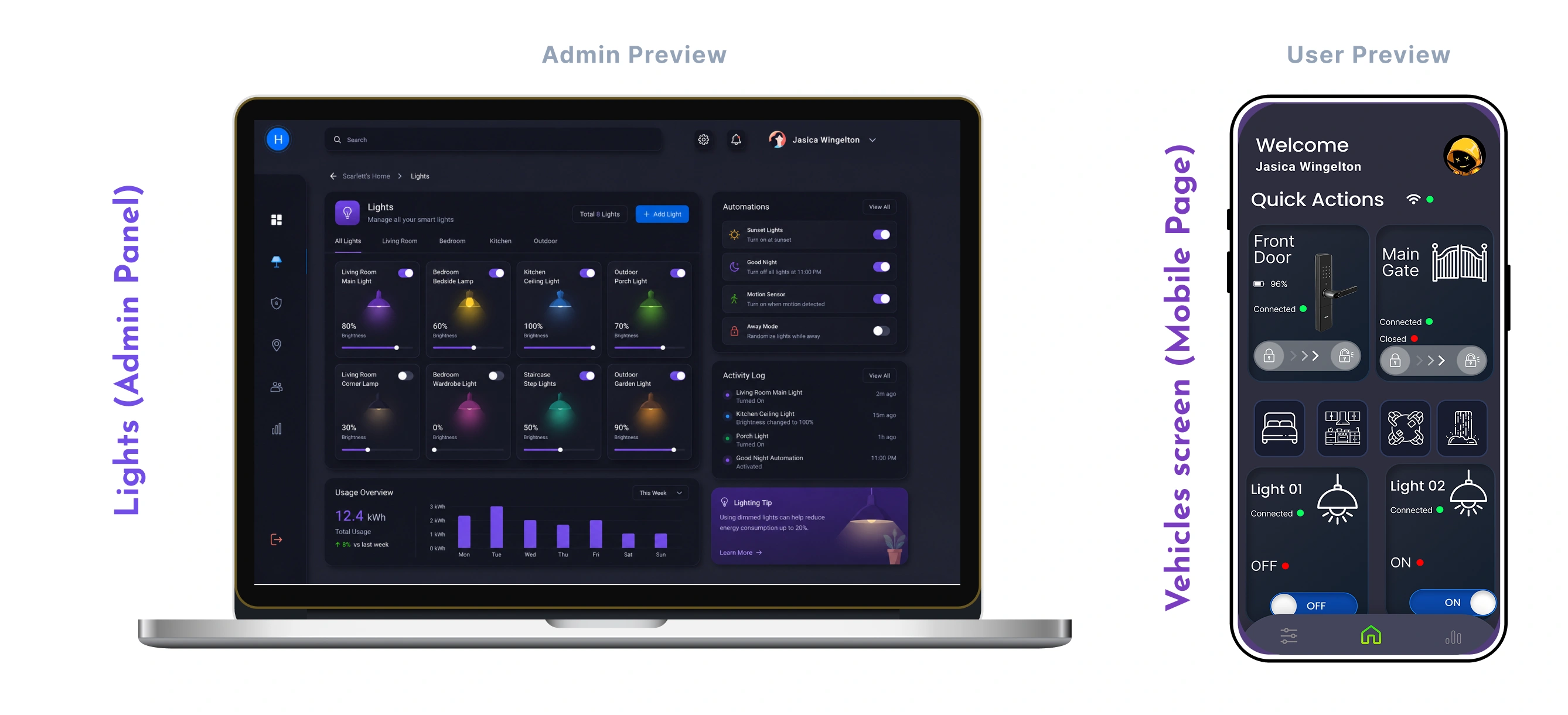
We built WeLink for homeowners who wanted their house to respond to them, not the other way around. The app handles door locks, CCTV monitoring, and everyday devices like ACs, TVs, and smart bulbs, all from one screen β€” or just a voice command, making everyday home control simpler, faster, and more connected for everyone.

Premium Home Management App services

Industry

Smart Life
Premium Home Management App services

Business Type

Startup
Premium Home Management App services

Project duration

8 to 10 personnel
Premium Home Management App services
Premium Home Management App services Premium Home Management App services

About ClientΒ 

WeLink came to us with a simple problem. Most smart home apps only handle one thing well β€” a lock here, a camera there β€” and people end up juggling three or four apps just to run their house. The client wanted one app that covered the basics properly: locking doors, checking the camera, and controlling the AC or lights without switching screens every time. The goal was to make everyday home management feel seamless, intuitive, and genuinely convenient.

The app needed to work for the whole household, not just one person. Family members needed their own access, and the whole thing had to keep working even when the internet dropped, since a smart lock that only functions on Wi-Fi isn't much good during an outage. We also needed the system to keep permissions, device access, and core controls reliable across every household member and situation.

About Client Gmta

Why did WeLink Collaborated With GMTA Software?
WeLink GMTA Software

Off-the-shelf smart home kits usually come with an app already attached, and that app rarely does what the client actually needs. WeLink wanted real multi-device control β€” locks, cameras, ACs, TVs, bulbs β€” working together instead of feeling like separate integrations bolted on after the fact. They also wanted the app to keep functioning offline, which ruled out most of the cloud-only smart home platforms already on the market.

We were chosen because we'd built connected device apps before and understood that "smart home" only means something if the app still works when the network doesn't. The client also liked that we treated voice control and touch control as equally important, rather than one being an afterthought to the other.

Challenges Addressed by GMTA Software

01 06

Planning to Build a Smart Home App Like WeLink?

We help startups and enterprises build connected home platforms with multi-device control, offline reliability, and secure multi-user access built in from the start.

Transportation Operations 6 Months Free Maintenance After Launch
WeLink GMTA Software

Our Approach

Offline-First Core Functions

Offline-First Core Functions

Locking, unlocking, and basic device control don't wait on a server response. We built these as local-first actions, so the app still works the moment Wi-Fi goes out, not just when everything's running fine. This approach keeps essential controls available during network interruptions, so homeowners aren't locked out of their own homes or left without basic device access. By prioritizing local control for critical actions, WeLink stays dependable when connectivity is unreliable and continues delivering a consistent experience when users need it most, without compromising security, speed, or everyday usability.

01
One Control Layer for Every Device 02

One Control Layer for Every Device

Instead of writing separate logic for each device type, we built one control layer that ACs, TVs, bulbs, locks, and cameras all plug into. Adding a new device type later doesn't mean rebuilding the app. The shared architecture keeps device communication consistent while making future integrations easier to introduce. New hardware can be added without disrupting existing controls, redesigning the entire experience, or creating another layer of device-specific complexity as the smart home ecosystem continues evolving over time.

Multi-User Access for the Whole Household 03

Multi-User Access for the Whole Household

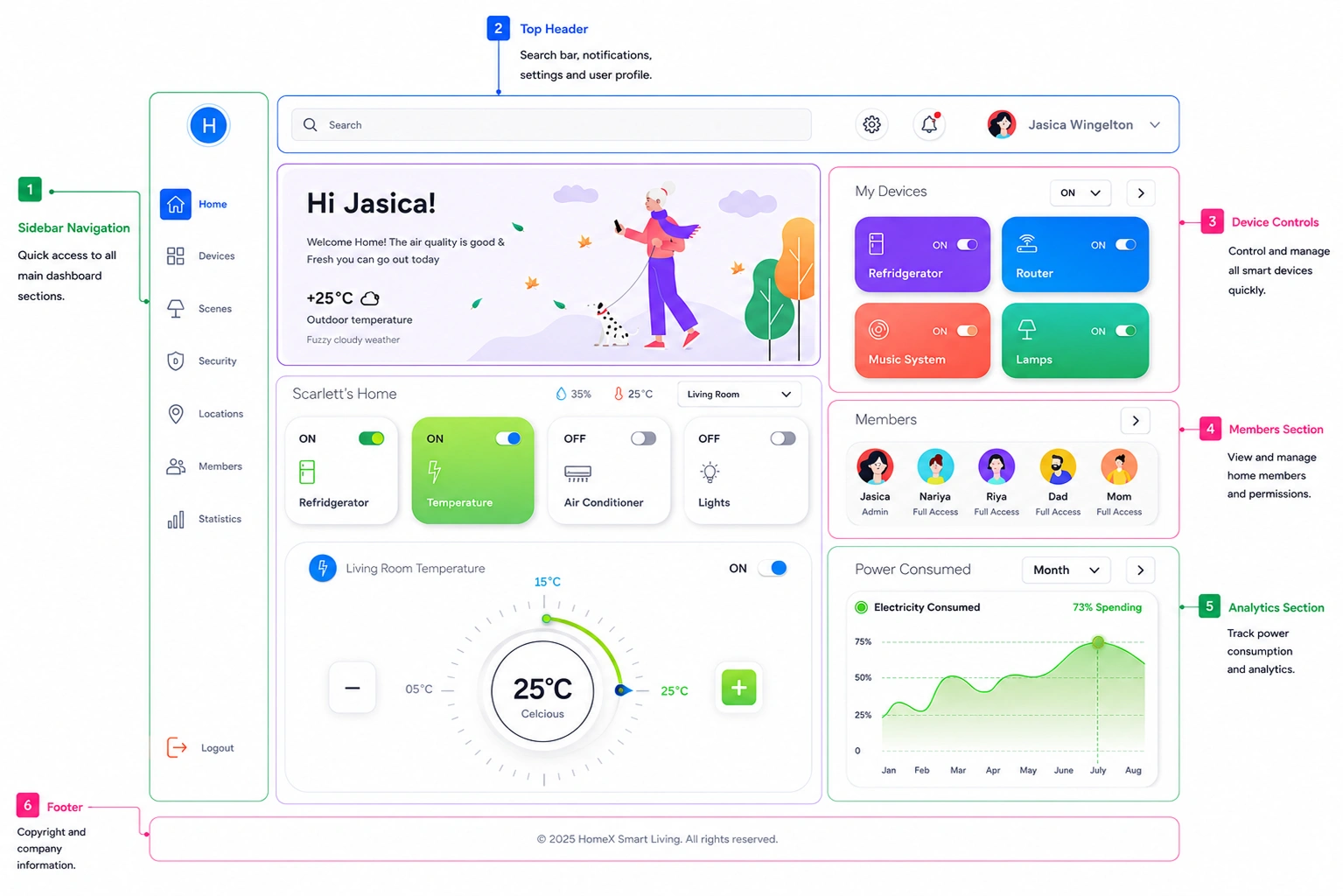
Every family member gets their own login and their own permissions, so sharing one password around the house isn't necessary. Access can be added or removed per person without touching anyone else's setup. This gives homeowners better control over who can access specific devices and features. It also keeps household access organised, secure, and easy to manage as family members change or new users are added. Everyone gets the right level of access without compromising the security of the home.

Voice and Touch on Equal Footing

Voice and Touch on Equal Footing

Voice commands and screen taps run through the same underlying system, so saying "turn off the lights" and tapping the light icon produce the same result, at the same speed. This keeps both interaction methods consistent, responsive, and equally reliable. Users can choose whichever control feels most natural without sacrificing performance, convenience, or accuracy during everyday home management, whether they're at home, busy, or multitasking.

04
WeLink GMTA Software

Process We Followed

01 Figuring Out How Homes Actually Use the App Figuring Out How Homes Actually Use the App
Figuring Out How Homes Actually Use the App

Figuring Out How Homes Actually Use the App

Before writing any code, we looked at how a household actually uses a smart home app day to day, who locks the door, who checks the camera, who just wants the lights dimmed without thinking about it.

  • Household usage mapping
  • Device compatibility research
  • Offline behaviour planning
  • API contract definition
02 Building the Control Layer First Building the Control Layer First
Building the Control Layer First

Building the Control Layer First

Instead of building device features one at a time, we started with the control layer everything else would sit on, so locks, cameras, and appliances didn't end up as disconnected pieces.

  • Device control architecture
  • Offline-first data design
  • Voice command integration planning
  • Multi-user access design
03 Testing It Like a Real House Testing It Like a Real House
Testing It Like a Real House

Testing It Like a Real House

We tested the app the way a family would actually use it, locking doors mid-call, losing Wi-Fi mid-stream, switching between voice and touch, not just running through a feature checklist.

  • iOS and Android development
  • Offline functionality testing
  • CCTV streaming performance testing
  • Multi-user access QA

Business Impact

 Native Apps 2

Native Apps

iOS and Android, give every household member the same control, whichever phone they're using, without compromising speed or reliability.

Core Functions Offline

Core Functions

Locking and unlocking keep working even without an internet connection, unlike most connected smart home apps, during unexpected network outages.

  Device Types Supported 7

Device Types Supported

Locks, cameras, ACs, TVs, and smart bulbs are all managed from one app instead of five, making everyday home control simpler and more convenient.

Building a Connected Device or
IoT Platform of Your Own?

You've seen how Ayurvedaam brought Ayurvedic health content into one connected platform. Let's discuss how we can build a solution tailored to your market.

WeLink GMTA Software
Gmta Location
Jaipur

Jaipur

C-305, 2nd Floor, Jan Path, Nirman Nagar, Jaipur, Rajasthan 302019

Bengaluru

Bengaluru

No. 4C-432, 2nd Floor, 2nd block, HRBR Layout, Kalyan Nagar, Bengaluru, Karnataka, India 560043

Singapore

Singapore

55 Serangoon North Avenue 4 (S9) #09-01 Singapore 555859

USA

USA

5214F Diamond Heights Blvd #3136 San Francisco, CA 94131 United States

Japan

Japan

1 Chome-2-9 Minato City Tokyo, Japan γ€’105-0021

Γ—
CallCall
Whatsapp Whatsapp
Email Email