
Quick Answer
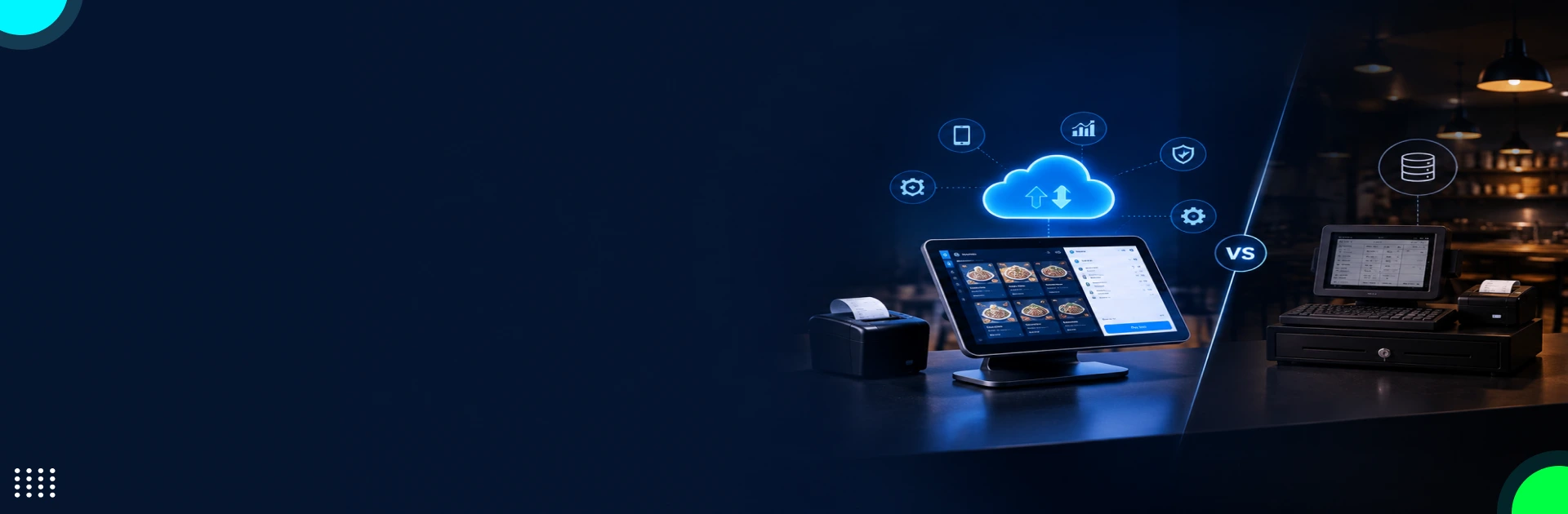
- Cloud vs legacy POS comes down to internet reliability, upfront cost, and integrations. Cloud POS suits most restaurants wanting remote access, automatic updates, and multi-location reporting. Legacy POS fits operators with supported hardware who need local control. Compare five-year costs, offline payment limits, and delivery integrations before choosing.
Key Takeaways
- Cloud POS usually wins on upfront cost. Basic hardware and setup can run $0-$1.5K, versus $10K-$20K+ for a legacy installation. Over five years, software and support for one location come to about $0-$8,940 for cloud and $6,000-$15,000 for legacy, before processing fees and add-ons.
- Costs multiply by location. A plan at $49 per location per month is $14,700 over five years across five locations, and $44,700 at $149 per location.
- Processing fees can outweigh the subscription. Compare your card volume and processing rate, not just the monthly price.
- Internet outages affect both systems differently. Cloud POS with offline mode can keep taking orders, but card authorization, delivery syncing, and remote reporting may pause. Test offline payment limits before you sign.
- PCI compliance is a shared responsibility. MFA for all access to the cardholder data environment has been mandatory under PCI DSS 4.0.1 since March 31, 2025. Ask any vendor for its current Attestation of Compliance.
- Integrations decide real-world value. Check that delivery apps, kitchen displays, inventory, and accounting tools pass modifiers, taxes, and order status correctly.
- Choose a custom build only when workarounds are costly. Configure first, integrate second, and build third. Custom restaurant POS projects typically run $30K-$150K depending on scope.
About 42% of restaurant operators said they weren’t profitable in 2025, according to the National Restaurant Association’s 2026 State of the Restaurant Industry report. With margins that thin, your POS isn’t just a checkout tool. Its subscription fees, hardware, payment processing, and the manual workarounds around it are recurring costs that can quietly eat into profit.
growthzoneapp
Many restaurants have already moved to the cloud, though published estimates vary widely. One market report puts North American cloud POS adoption at 42%, another at 56% in 2026, and a third says 83% of US restaurants ran cloud POS in 2025. The gap comes down to who was surveyed and how “cloud” was defined. The takeaway: “everyone is switching” isn’t a reason to switch. Your own costs, internet reliability, and integrations are.
Subscription costs also scale with every location you add. As an illustration, a plan priced at $49 per location per month costs $588 a year for one outlet, but $2,940 a year, or $14,700 over five years, across five locations. At $149 per location per month, the same five locations cost $44,700 over five years, before hardware, add-ons, and payment processing. This guide compares cloud and legacy POS on five-year cost, offline risk, PCI compliance, delivery integrations, and multi-location needs, so you can tell whether your current system is protecting your margins or eroding them.
What Is a Cloud-Based POS System, and How Does It Work for Your Restaurant?
A cloud-based restaurant Point-of-Sale software centralizes system administration and operational data on a vendor-hosted platform. Therefore, you get the benefit of seamless business management, especially when it spans dine-in, takeout, third-party delivery, and multiple outlets. Here, you won’t have to bear the burden of maintaining independent installations at every location. Instead, you can depend on a shared environment to manage:
- Supported configuration
- Reporting dashboards
- Integrations with other platforms
The real value lies in how the cloud architecture connects your restaurant’s tech stack. Consider integrating the POS directly with Uber Eats or DoorDash. This will automatically redirect marketplace orders into your restaurant’s workflow. Hence, you can easily eliminate dependency on separate delivery tablets. When you operate through multiple locations, centralized menu controls and consolidated sales reporting give you an upper hand in comparing store-level performance. At least then, you won’t have to manually reconcile reports from different systems and end up with data discrepancies and compromised integrity.
The trade-off here you will have to handle inevitably is vendor dependence. Your extent of control over the cloud POS system will depend on factors like:
- Subscription agreement
- Supported integrations
- Payment processing terms
- Data export provisions
So, before you sign up for the system, make sure to thoroughly examine:
- API access
- Contract termination terms
- Offline capabilities
- Compatibility with the terminals your restaurant already deals with
Only then can you actually understand if the shift to the cloud infrastructure will simplify your day-to-day operations or add another technology constraint to your plate. Otherwise, you may make a smart investment but with little to almost zero return value.
What Is a Legacy (Traditional) POS System?
This restaurant tool relies on locally installed software, an on-site server, or dedicated terminals configured specifically for your business only. Legacy POS systems persist mainly where operators already own supported hardware and have built workflows around it, such as:
- Payment terminals
- Kitchen display systems
- Receipt printers
- Specialized service workflows
If we talk about economic advantage, a legacy POS offers the strongest argument in its favor only when you have already paid for the equipment and the vendor, in turn, continues to provide security and payment-related updates. The moment you plan to replace it, you end up acquiring a greater financial burden due to the need to purchase entirely new software. That’s because your budget will then have to account for:
- Terminal replacement
- Menu and modifier migration
- Payment terminal certification
- Employee training
- Potential disruption during conversion
What most restaurateurs overlook is the integration constraint. Suppose your system lacks a supported interface with an online ordering app or Uber Eats. In such a scenario, you will be left with only two options: either to purchase middleware or invest in custom development. This further adds recurring obligations, especially when you cannot reconcile order totals or market settlements automatically. At the same time, you may end up with security and PCI DSS compliance concerns in case the vendor discontinues OS updates for the software.
Cloud vs Legacy POS: How Do They Compare?
To understand what actually sets both these restaurant systems apart from one another, you will have to consider attributes like:
- Long-term maintenance burdens
- Integration flexibility
- Infrastructure costs
- Vendor dependence
For most US restaurants, a cloud-based POS can simplify centralized management across multiple locations, alongside connections with Uber Eats, DoorDash, and online ordering platforms. However, the downside emerges in the form of subscription fees, payment processing contracts, and paid integrations, all of which affect your TCO.
As for the legacy POS systems, you get the opportunity to preserve existing hardware investments and locally managed workflows. But consolidating multi-unit reporting or connecting delivery marketplaces can force you to invest in middleware or opt for custom builds.
| Comparison factor | Cloud-based POS | Legacy POS |
| Initial setup cost | $0–$1.5K for basic hardware and setup; complex installations cost more | $10K–$20K+ for servers, terminals, installation, and configuration |
| Software fees | $0–$149/month for common entry-level to premium plans; advanced features cost extra | Often included in the initial licence or charged separately |
| Ongoing maintenance | Provider-managed updates; additional support or integrations may cost extra | Budget around $100–$250/month for support and maintenance, depending on the contract |
| Hardware replacement | Typically $200–$1K+ per terminal or device, depending on specifications | Often $500–$1.5K+ per replacement terminal, plus possible server or peripheral costs |
| Payment processing | Example: Square charges 2.5% + $0.15 per in-person transaction on Plus | Varies by processor and contract; legacy systems may have separate processing agreements |
| Kitchen display system | Example: Square KDS costs $30/month per device on Plus | May require separate display hardware, software licensing, and installation |
| Internet and networking | Reliable broadband is essential for full cloud functionality; backup internet adds cost | Local operations may continue without internet, but network and server maintenance remain necessary |
| Software upgrades | Usually included in the subscription | Major upgrades may require separate licensing, installation, or hardware replacement |
| Five-year software and support cost (per location) | $0-$8,940 ($0-$149/month × 60 months). Excludes hardware, add-ons, and processing. | $6,000-$15,000 ($100-$250/month × 60 months). Excludes initial installation. |
| Five-year total including setup (per location) | About $0-$10,400 (software above + $0-$1.5K hardware). Excludes processing fees, add-ons, and hardware replacement. | About $16,000-$35,000 ($10K-$20K installation + support above). Excludes processing and repairs. |
| Best suited for | Restaurants seeking lower upfront costs and provider-managed updates | Restaurants prioritizing local control or maintaining established on-site systems |
What Happens to Your Restaurant When the Internet Goes Down?
Suppose it’s a Friday night, your restaurant is super busy, and suddenly there’s an internet outage. This unexpected event is what exposes a costly weakness in your POS architecture. The impact, however, depends on:
- Whether the system processes transactions locally
- Which payment services require internet connectivity
- How quickly your operations can recover
Cloud-based and legacy POS tools handle these dependencies differently, which is why you should verify the aspects below before choosing a model for your US business.
- A cloud POS with offline mode can continue to support functions like local order entry. However, you won’t be able to use features like online ordering synchronization and remote reporting until internet connectivity is restored.
- Card payments will depend on your processor’s offline capabilities, transaction limits, and authorization rules. In case you plan to configure queued payments, remember that they carry the highest decline risks, meaning you will end up with unrecovered sales.
- A locally hosted legacy POS will help you retain access to your restaurant menus and order records. However, if it has connected payment terminals and third-party delivery integrations, accessibility may be hindered due to an internet outage.
How Much Will a POS System Really Cost You Over 5 Years?
Your five-year cost depends on four things: the plan, the number of terminals and kitchen screens, the number of locations, and paid add-ons. Here is how the math works with the assumptions in this guide.
Cloud POS: Software at $0-$149 per location per month comes to $0-$1,788 per location per year, or $0-$8,940 over five years. Add $0-$1.5K for basic hardware, then processing fees and any paid add-ons. Multiply the software cost by your number of locations: five locations at $49/month is $14,700 over five years, and at $149/month it is $44,700.
Legacy POS: Budget $10K-$20K+ for servers, terminals, and installation. With a $12K installation and $100-$250 per month for support, the five-year cost is $18,000-$27,000, before hardware repairs and integration maintenance.
Why processing fees matter more than the subscription: a paid plan that lowers your in-person rate by 0.1% needs about $49,000 a month in in-person card sales to pay for itself on a $49 plan (monthly fee ÷ rate reduction). Below that volume, the cheaper plan wins. (Source: Koronapos)
Is Your Customers’ Card Data Safe? Security and PCI Compliance Explained
For your US restaurant, PCI DSS 4.0.1 compliance depends on how your POS tool captures, processes, and transmits payment-related data, and not just whether it can run on a cloud server or on an on-prem infrastructure. Under PCI DSS 4.0.1, Requirement 8.4.2 has required multi-factor authentication for all access into the cardholder data environment since March 31, 2025, not just for administrators. Requirement 9.5.1 separately addresses protecting payment terminals from tampering and substitution. {Source: (PCI Security), (Paytia)}
Hence, the exposure you need to handle will change with the payment architecture. A PCI-listed point-to-point encryption (P2PE) solution will help you encrypt card data within the payment device, thereby reducing applicable PCI DSS requirements you otherwise had to follow strictly. However, remember this approach won’t eliminate the compliance regulations entirely from the picture. Your POS should be able to prevent prohibited storage of sensitive authentication data, including CVV values after authorization.
So, before you sign a contract with a POS vendor, you should:
- Request its current Attestation of Compliance
- Clarify your own validation requirements with the acquiring bank
- Establish clearly who will manage terminal inspections, incident response, and third-party integrations
Will It Work with Your Delivery Apps, Kitchen Screens, Inventory and Accounting Tools?
The actual value of a restaurant POS system, whether it’s a legacy platform or a cloud-based one, always depends on how accurately it can transfer data to other connected platforms. When your US business accepts orders from external marketplaces like DoorDash or Grubhub, you should verify that every piece of information entering your POS has the correct:
- Modifiers
- Channel-specific prices
- Taxes
- Discount details
- Order status
You also need to test how your restaurant’s menu is synchronized across multiple terminals configured within the POS before signing. That’s because some configurations do not support nested modifiers or time-specific pricing at all. At the same time, updating items that are unavailable mostly depends on the marketplace-centric behavior.
Now, when we talk about the kitchen display system, ensure it can preserve station routing and ticket priorities. It should never bypass approval controls at all. If the auto-firing feature is enabled, your KDS will automatically receive orders from direct delivery integrations already put in place.
Never just check the count of finished items while dealing with the inventory. Rather, you should confirm recipe-level ingredient depletion across pickup, dine-in, and delivery. When you plan to integrate the POS with your accounting platform, make sure you define clear boundaries between marketplace gross sales and net payouts after commissions, refunds, and other adjustments.
Do You Need a POS or a Full Restaurant Management System?
Whether it’s routing tickets in the right direction or closing checks with the highest accuracy, POS gives you an upper hand in tackling these operational bottlenecks without major upfront investment. However, there are certain situations where simply adding more features to the system won’t be a practical resolution, especially when you want to understand:
- Food-cost variance
- Labor productivity
- Purchasing
- Profitability across all your outlets
This is where you need to decide if you are simply buying a transaction system or building a connected operating model for your restaurant. With a POS, you can effortlessly handle day-to-day tasks, like configuring menus for your different outlets or managing discounts and seasonal offers on the pricing tiers. Restaurant management software connects all these transactions to broad-scale business decisions, like:
- Vendor purchasing
- Recipe costing
- Inventory variance
- Scheduling
- Labor forecasting
- Multi-unit performance
Understanding this difference is quintessential for every restaurant business founder. That’s because a POS showing $8K in sales will hardly tell you about profitability, unless you consider other expenses. The key here is to invest in a full-scale enterprise platform for your restaurant only when your current operating model can sustain it. Always begin with the most expensive gap you have in your day-to-day functioning workflows. This way, you can choose a system rooted in the decisions you need to make, and not the length of the feature list.
| Comparison factor | Restaurant POS system | Full restaurant management system |
| Primary function | Manages orders, payments, and sales | Manages sales and wider restaurant operations |
| Food cost control | Tracks sales and basic inventory | Tracks recipe costs, waste, and stock variance |
| Labor management | Records hours and shift sales | Connects staffing costs with sales performance |
| Purchasing | Supports basic stock tracking and orders | Manages purchasing, suppliers, and replenishment |
| Profitability analysis | Reports sales by item, shift, and location | Combines sales, food costs, and labor costs |
| Multi-location management | Centralizes menus and sales reports | Coordinates inventory, labor, and cost controls across outlets |
| Best suited for | Restaurants focused on order processing and payments | Restaurants needing tighter control over costs and operations |
Where Does AI Fit Into a Modern Restaurant POS?
AI is still early in restaurants, and mostly in low-risk areas. About 26% of operators say they use AI-related tools, and the usage skews toward marketing (19% of full-service and 15% of quick-service operators) and administrative tasks (10%). Customer-facing ordering is far less common. Operators are also not sold on technology across the board: nearly two-thirds believe technology improves hospitality, but only 41% of consumers agree.
For your POS decision, the practical question is whether the system exposes a clean API so AI tools such as voice ordering, demand forecasting, or menu optimization can plug in later. A closed legacy system may block that; a cloud POS with open integrations usually won’t. If your needs go beyond what vendors offer, our AI agent development team builds custom ordering and forecasting agents that connect to your existing POS. (Source: Kea, QSR Magazine, NRN)
Running More Than One Outlet? What to Look for in a Multi-Location POS
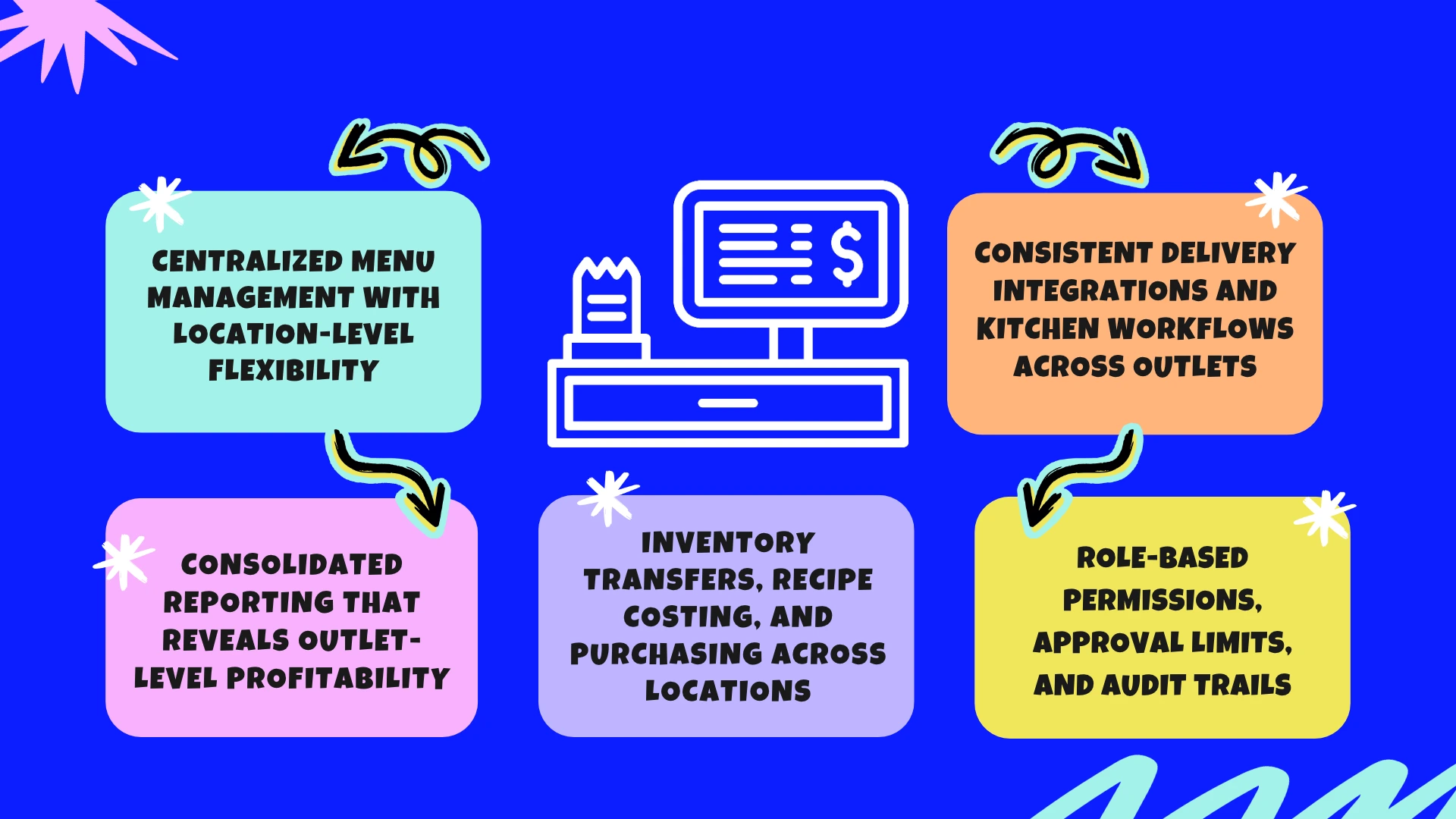
Centralized Menu Management With Location-Level Flexibility
When your Chicago-based outlet sells a burger for $16, and your suburban location charges only $14, the chosen POS should preserve these prices during chain-wide menu updates. Check whether the software syncs the following attributes separately depending on each location’s online ordering and delivery menus:
- 86’d items
- Happy-hour menus
- Modifier groups
- Price changes
Even a small mismatch between your POS and DoorDash or Uber Eats menu can signal incorrect charges, rejected orders, and staff manually correcting tickets during service hours.
Consolidated Reporting That Reveals Outlet-Level Profitability
Compare each location’s net sales, average checks, voids, discounts, and sales by channel over identical periods before choosing a multi-location POS. For example, if one outlet generates $20K more monthly revenue but also records substantially higher discounting and delivery sales, consolidated revenue alone can never explain its performance. Therefore, the POS tool should come with a reporting dashboard that can separate marketplace sales from dine-in revenue. At the same time, it should connect the prices with labor and food cost data to help you explain the differences in operating margins.
Inventory Transfers, Recipe Costing, and Purchasing Across Locations
If your downtown restaurant transfers 30 pounds of chicken to another outlet, the chosen POS should record the quantity, sending and receiving locations, transfer date, and inventory value. Recipe-level depletion feature must account for portions sold, while physical counts can expose discrepancies between the expected and actual usage. Without these controls in place, you can mistake stock transfers for consumption and make purchasing decisions using incorrect inventory figures.
Role-Based Permissions, Approval Limits, and Audit Trails
The multi-location POS system should allow you to define permissions for shift managers so that they can comp a meal within a defined limit. By doing so, you can also prevent them from changing menu prices, editing payroll records, or issuing unrestricted refunds. Check if the software allows you to configure approval requirements for larger discounts and voids. Also, the timestamped records stored in the system must show who performed each action, its value, and the transaction involved.
Consistent Delivery Integrations and Kitchen Workflows Across Outlets
If three outlets accept DoorDash and Uber Eats orders, verify if the POS location is matched with the correct marketplace location or not. In addition, you also need to verify the synchronization between these two systems for attributes like kitchen display, tax configuration, and menu. Test what happens when an item sells out at only one outlet, a modifier changes, or an integration disconnects during dinner rush.
Thinking of Switching? How to Move from Legacy to Cloud POS Without Disrupting Service
When you want to switch from a legacy restaurant POS to a cloud-based platform, plan a phase-by-phase migration. Test payments, menus, kitchen workflows, and reporting features before going live. For this, start with a data audit to check key details like:
- Menu modifiers
- Sales tax rules
- Employee permissions
- Gift card balances
- Loyalty accounts
Confirm if you can export historical sales for year-over-year reporting or not. Once you are done with this, test the actual service workflows. Here’s what you should be doing.
- Running split checks, refunds, voids, and discounts
- Sending test orders from DoorDash and Uber Eats
- Verifying kitchen ticket routing and end-of-day settlement
- Matching POS sales against processor deposits before approving the switch
It’s better to schedule the cutover during a quieter training period, with vendor support available. For multiple outlets, migrate one location first. If there’s any issue with the payment, integration, or discount process, make sure to get it resolved first before the rollout. Keep your legacy system accessible until the new cloud-based POS completes a full-service cycle and financial reconciliation.
Which POS Should You Choose? A Simple Guide by Restaurant Type
Choosing a restaurant POS is about finding a system that fits how your business actually runs. A platform that handles today’s orders but struggles with integrations, reporting, or expansion can create expensive problems later. Your decision should reflect the demands of your operation and the cost of supporting it over time.
| POS type | Restaurant type | Suitable features | Cost (US) | What to verify before buying |
| Cloud-based POS | Quick-service, cafés, casual dining | Cloud reporting, online ordering, menu management, remote access | $50-$300/month | offline payment limits, export rights, contract exit terms |
| Legacy / on-premises POS | Established restaurants with existing hardware | Local server control, customized workflows, peripheral compatibility | $10K–$20K+ upfront | vendor security update support, integration costs |
| Mobile/tablet POS | Food trucks, pop-ups, small cafés | Portable checkout, tableside ordering, mobile payments | $250–$1.5K in hardware | connectivity and card-reader compatibility |
| Full-service restaurant POS | Full-service dining, bars, high-volume restaurants | Table management, split checks, coursing, handheld ordering | $2K–$12K+ upfront | coursing, split checks, handheld support |
| Integrated restaurant management POS | Multi-location groups and restaurant chains | Consolidated reporting, recipe-level inventory, labor integration, purchasing controls | $200–$500+/month | Recipe-level inventory and labor integration |
The US small-restaurant POS market is split among a few vendors: Clover leads with about 20% share, Toast holds 17%, and Square 13%. Whichever you choose, test the integrations with your delivery apps and accounting tools first. (Source: Duck Hub)
When Is a Custom Restaurant POS Worth Building?
Off-the-shelf POS works until your operating model needs workflows the software can’t support. Typical examples include a commissary kitchen supplying multiple outlets, catering deposits and staged payments, or unusual pricing rules. Workarounds then become a cost of their own: staff re-entering orders, reconciling data by hand, or running spreadsheets outside the POS.
Three options, in order of cost:
- Configure what you have. Cheapest. Try this first.
- Connect specialized software through APIs to fill specific gaps. Requires a POS with a supported API.
- Commission a custom build when the workflow is a genuine competitive advantage or standard systems impose persistent operating costs. Custom restaurant POS projects typically run $30K-$150K, depending on payment workflows, integrations, reporting, and testing.
We’ve built restaurant ordering and delivery software for restaurants that needed pickup and delivery handled in one system, so we know where off-the-shelf tools tend to fall short.
A quick test: if you can name a recurring manual process that costs your team more than 10 hours a week, or a sale you lose because the system can’t handle it, a custom build is worth pricing. If you can’t, configure or integrate first.
GMTA builds custom POS platforms, delivery and online-ordering integrations, and multi-location reporting for restaurant groups.
Talk to our team about a custom POS feasibility review →
FAQs
Can a cloud-based POS operate during an internet outage better than a legacy POS?
A cloud-based POS can continue processing some orders during an internet outage if it supports offline mode, but payment authorization, delivery integrations, and cloud reporting may stop working. A legacy POS typically relies on local infrastructure. Before choosing either, test offline payment limits, data synchronization, and recovery procedures.
Which POS architecture offers better control over software updates and feature changes?
A legacy POS gives you more control over update timing because you typically manage installations on local systems. A cloud-based POS provider controls software releases, which reduces maintenance work but may introduce changes automatically. Check whether updates can be scheduled, tested, or delayed, particularly when new features could disrupt menus or integrations.
How do cloud and legacy POS systems handle PCI DSS compliance responsibilities differently?
With a cloud-based POS, your provider may manage hosting and certain security controls, but you remain responsible for applicable merchant obligations under PCI DSS. A legacy POS may require more hands-on maintenance and terminal protection. In either case, confirm your provider’s validated compliance status, payment setup, and responsibilities with your acquiring bank.
What are the risks of vendor lock-in with cloud-based restaurant POS?
Cloud-based POS vendor lock-in can make switching expensive if your contract restricts data exports, integrations, or hardware compatibility. You could also lose access to historical reports or loyalty records after cancellation. Before signing, confirm export formats, termination fees, contract renewal terms, data access after cancellation, and whether payment terminals work with another provider.
Can restaurants retain their existing terminals when switching from legacy to cloud POS?
You may be able to retain existing terminals when switching from a legacy to a cloud-based POS, but compatibility depends on the hardware model, operating system, payment processor, and the new provider’s certification requirements. Get written confirmation before budgeting around reuse. Unsupported terminals may require replacement, reconfiguration, or separate payment hardware.
How much does a restaurant POS cost over five years?
For a single location, cloud POS software typically runs $0-$8,940 over five years (at $0-$149 per month), plus hardware, processing, and add-ons. A legacy POS typically costs $16,000-$35,000, including installation and support. Multiply software fees by your number of locations, and compare processing fees, since they often exceed the subscription.

Founder
Anjali Upadhyay is the Founder of GMTA Software Solutions, a mobile and web application development company she built from the ground up in 2019. Under her leadership, GMTA has delivered 200+ production applications across healthcare, fintech, and on-demand services for clients in the US, UK, Singapore, and UAE. She also leads GMTA’s AI practice, which has shipped production AI systems — including HIPAA-compliant healthcare workflows, LLM-integrated logistics platforms, and fintech automation tools — for US-based enterprise clients. Her writing covers AI product strategy, build-vs-buy decisions for AI systems, and the operational realities of moving AI from proof-of-concept to production at scale.