



Key Takeaways:
- The time it takes to develop an app depends on how well the project is defined at the start. Clear workflows and defined goals help set realistic timelines.
- The more complex your app is, especially with integrations, compliance requirements, and features, the longer the development process will take.
- Due to app store approvals, device compatibility, and OS rules, mobile apps typically take more time than building a simple web app.
- In practice, most serious app projects fall between 8 weeks and 12 months for full development, depending on the complexity.
- External delays, like waiting on vendor APIs, approvals, and changing project decisions, are often bigger factors than technical challenges.
- Testing is not a final step. It runs parallel to development and influences the actual app launch date.
- A skilled team can significantly cut down development time by avoiding rework, streamlining the discovery process, and maintaining momentum with quick decisions.
Most business apps take around 3 to 7 months to build, then a few more weeks to get launch-ready. Still, the real answer changes a lot, because app timelines are shaped by scope and decision speed. If features keep changing mid-build, the calendar will keep moving too.
If you are asking how long it takes to develop an app, plan for a short discovery phase first. This is where screens, flows, and data rules get locked. After that, the “build” phase usually looks smooth on paper, but the last stretch is where time disappears. Testing, bug fixes, and release prep often take longer than teams expect.
In this guide, you will know:
- Realistic timelines based on app complexity
- A stage-by-stage app development timeline breakdown you can use for planning
- The biggest reasons apps get delayed, plus ways to speed up without compromising on quality
App Development Time for Different Complexity Levels
A clean way to estimate time is to pick the complexity level first, then confirm features. Most timeline mistakes happen when teams start listing features without deciding how “heavy” the app is.
Below are the three common tiers, what they usually include, and the typical build time.
Simple App (Around 3 to 4 Months)
A simple app is usually a small set of screens with one clear job.
- Limited screens (often up to 5 to 7)
- Basic user flows like browse, submit, and view status
- Minimal backend, or a light backend with simple data
- Few or no third-party integrations
Common features: login, profile, basic forms, simple admin panel, limited notifications.
Example: a lead capture app with login and a basic admin panel, or a small booking app with fixed services and simple notifications.
Medium Complexity App (Around 4 to 7 Months)
A medium app has more flows, more logic, and more places where things can break.
- More screens (often 8 to 15)
- User accounts with roles (user, admin, partner)
- Payments, subscriptions, or other transactional steps
- Multiple integrations like maps, payment gateway, CRM, or analytics
- More testing effort because flows branch based on user actions
Common features: payments, booking, multi-step onboarding, roles (user and admin), third-party APIs, richer notifications.
Example: a service marketplace app with customers and providers, or an e-commerce app with payments and order tracking.
Complex App (Around 7 to 12 Months)
A complex app usually needs strong backend architecture, deeper security, and higher performance.
- Many user flows plus role-based permissions
- Heavy integrations (ERP, multiple payment methods, identity providers)
- Real-time features like live tracking, chat, or dynamic inventory
- Advanced security and compliance needs
- Higher scale planning, load testing, and monitoring
Common features: marketplace logic, real-time tracking, advanced admin dashboards, audit logs, complex permissions, multiple integrations, and compliance needs.
Example: a two-sided marketplace with real-time tracking, an on-demand delivery platform, or a B2B catalog and order system with live status updates.
Now, a quick mobile app development timeline table you can use in early planning:
| Complexity level | Typical build time | What usually drives the time |
| Simple | 3 to 4 months | Clear screens, basic backend, limited integrations |
| Medium | 4 to 7 months | Accounts, payments, role logic, multiple user flows |
| Complex | 7 to 12 months | Marketplace logic, heavy integrations, advanced security, scale needs |
If you are trying to pin down the time required to develop an app, start with these ranges, then adjust based on features and risk.
If you want a phase-by-phase view with week ranges, read our guide on how much time is needed to create a mobile app. It breaks planning, design, development, and testing into clear time buckets.”
Factors Affecting App Development Timeline
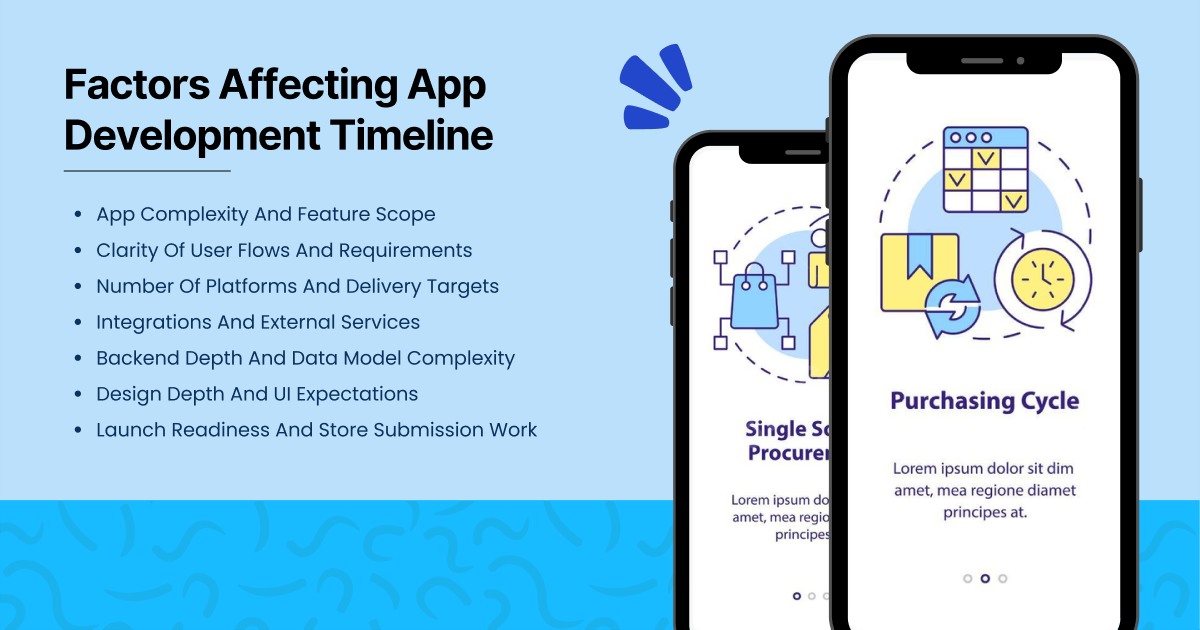
App timelines rarely slip because developers “coded slowly.” They slip because one or more core inputs changed midway, or because the build needed more layers than the team planned. Use the factors below as a checklist before you commit to dates, and re-check them any time scope changes.
1) App Complexity And Feature Scope
Scope is the biggest driver of time. “One more feature” can mean a small UI change, or it can mean a new workflow that touches backend rules, testing, and app store compliance.
- A simple scope usually means one main user flow and light backend work.
- Medium scope usually adds multiple flows and more business rules.
- A complex scope usually adds heavy backend logic and many edge cases.
A quick way to spot hidden scope: ask “What happens if something goes wrong?” If the answer includes refunds and disputes, or role conflicts and audit logs, the timeline and QA both increase.
2) Clarity Of User Flows And Requirements
Clear user flows reduce rework. Vague flows create weeks of back-and-forth because the team keeps rebuilding screens after decisions change.
Good clarity looks like this:
- Each key flow has a start and an end.
- Every screen has a single job.
- “Done” is defined in plain language.
Low clarity shows up as: “We will decide later” on core screens, or frequent changes after development has started. That is when the timeline starts moving, even if the team is shipping code every week.
3) Number Of Platforms And Delivery Targets
Building one platform is usually faster than building two. Each platform adds design checks, device testing, and release steps. If you also need a web admin panel, it adds its own development and QA cycle.
Examples of how platforms affect time:
- iOS only tends to move faster because you test fewer devices and ship one store release.
- iOS and Android increase build and QA effort because behaviours differ across devices.
- Admin panel adds time because it needs roles, permissions, and reporting views.
Cross-platform frameworks can reduce duplicated UI work, but they do not remove platform testing. Payments, camera, and push notifications still need careful checks.
4) Integrations And External Services
Integrations add “moving parts.” Even if the app code is clean, external services can change rules or require extra approval steps.
Common integration areas:
- Payments and payout flows
- Maps and location services
- ERP or CRM connections
- Sign-in providers and identity checks
Each integration adds effort in four places: implementation, error handling, testing, and ongoing maintenance. A payment flow alone can add meaningful time because you must cover failed payments, retries, refunds, and edge cases.
5) Backend Depth And Data Model Complexity
Apps with simple data can ship more quickly. Apps with complex data relationships take longer because every feature depends on data rules.
Timeline increases when you have:
- Many user roles and permission levels
- Data relationships that affect access control
- Workflows that need approvals and status changes
If the backend needs audit trails, versioning, or detailed logs, plan extra time. These are not “optional extras” in many products. They are core stability work.
6) Design Depth And UI Expectations
Design time is not just visuals. It includes user experience decisions, screen states, and component rules.
Faster design usually has:
- Reuse of standard components
- Limited custom animations
- A consistent screen pattern
Slower design usually has:
- Custom component library work
- Motion-heavy screens and micro-interactions
- Many states per screen, like empty, loading, and error
Design also affects development speed later. A strong design system reduces build time because developers reuse components instead of rebuilding UI repeatedly.
7) Launch Readiness And Store Submission Work
Launch work includes more than uploading a build. It includes policy checks, privacy disclosures, and store assets. If any part fails review, resubmission adds time.
Launch effort usually includes:
- App store listing content and screenshots
- Privacy details and permission prompts
- Crash monitoring setup and analytics checks
- Release rollback plan and hotfix readiness
Teams that plan this early avoid last-minute delays near the finish line.
How Long Does It Take to Develop an App?
Curious about the app development timeline? Connect with us and get a customized estimate based on your app idea!
External Factors That Slow Down or Delay App Development
Your sprint plan covers what the team can control. Real timelines also include steps controlled by app stores, vendors, and internal governance. These items can pause a release even when development looks “done.”
App Store Reviews and Policy Checks
App reviews are usually quick, but they are not guaranteed to be instant. A rejection can add a full loop because you fix, rebuild, submit again, then wait again.
Common reasons the review takes longer:
- Missing privacy details, or unclear permission prompts
- Login flows that do not work for reviewers
- Payment or subscription flows that do not match policy rules
- Crashes on specific devices, or odd edge cases
- Metadata issues like screenshots, descriptions, or age rating gaps
Planning tips that reduce delays:
- Keep a buffer week close to launch for review and resubmission loops.
- Add reviewer notes inside the store submission, especially for test accounts and gated flows.
- Freeze scope before submission week so you are not pushing last-minute changes.
Apple states that 90% of submissions are reviewed in under 24 hours on average. Google Play notes that some apps can go into extended review, which may take up to 7 days or longer in exceptional cases. Treat these as typical guidance, not a deadline promise.
Third-Party Vendor Changes and Dependency Risk
Even a clean build can get blocked by changes inside services you depend on. This often hits mid-sprint, so it feels like “surprise work.”
What this looks like in real projects:
- A payment provider updates requirements, so checkout needs changes.
- A maps SDK changes pricing or keys, so billing and setup need updates.
- An identity provider adds stricter rules, so login needs extra steps.
- A vendor has downtime, so the team cannot test a core flow.
How to reduce the impact:
- Pin SDK versions and upgrade on a planned schedule, not during release week.
- Add fallback paths for key actions like login and payments.
- Keep vendor change logs in a simple tracker, so surprises get spotted early.
Security, Legal, and Compliance Reviews
Some apps need approvals that sit outside the product team. The timeline impact is often large because issues found late can force design changes, not just code tweaks.
This is common in:
- Healthcare apps and finance apps
- Kids’ apps that need stricter privacy handling
- Apps that store sensitive user data or run identity checks
Typical time add-ons come via:
- Privacy and data mapping reviews
- Security testing and remediation work
- Contract sign-offs with vendors and partners
Practical way to avoid a late block:
- Run a privacy checklist during discovery, not near launch.
- Schedule security review checkpoints per milestone, not as a final gate.
- Keep one decision owner for approvals, plus a backup approver.
Launch Readiness Work Outside Engineering
Launch has work that is not coding, but still takes time. If this is not ready, submission slips.
Examples:
- Store screenshots and listing copy
- App privacy labels and disclosures
- Support email, policies, and in-app help content
- Analytics, crash reporting, and release monitoring setup
A simple planning rule that helps: set an internal “release candidate” date earlier than the public launch date. Use that gap to handle reviews, assets, and compliance without panic.
How Long Do App Development & Testing Actually Take?
Most timelines slip in the last stretch, not because the build stalled, but because “almost done” hides real work: bug fixing, device checks, performance tuning, and release prep.
Here’s a table with real-world app development timeline examples. These ranges assume a typical business app with a standard feature set and steady approvals.
| Stage | Typical Duration | What Happens In This Stage | What You Should Have At The End |
| Business Analysis | 1 to 2 weeks | Clarify goals, user flows, edge cases, data needs, and success metrics | Finalised scope notes, user stories, acceptance criteria, risk list |
| App Design | 2 to 4 weeks | UX flows, wireframes, UI screens, design system, clickable prototype | Approved screens, component kit, handoff-ready specs |
| Planning | 1 to 2 weeks | Tech stack, architecture, backlog split, sprint plan, environments, release plan | Sprint backlog, architecture outline, milestones, delivery plan |
| Development | 1 to 4 months | Build app screens and backend, integrate services, ship working builds each sprint | Feature-complete build, integrated backend, stable staging build |
| Quality Assurance | 2 to 4 weeks | Test coverage, bug triage, regression cycles, performance checks, release candidate prep | Release candidate build, test report, resolved critical bugs list |
| Launch | 1 to 2 weeks | Store assets, policy checks, production rollout, monitoring, hotfix plan | Live release, analytics and crash tracking, post-launch checklist |
Why QA Takes Longer Than Teams Expect
QA is not a single final step. It is a set of cycles that repeats as the product stabilises. Every fix can create new issues, so testing needs multiple passes.
Here is what QA usually includes:
- Functional testing. Checks that each feature works as intended in real usage.
- Regression testing. Identifying new changes did not break older flows.
- Device and OS coverage. Checks that the app behaves well across the agreed device list.
- Performance testing. Monitoring load times, battery impact, and behaviour on slow networks.
- Security testing. Checks login, sessions, and data handling for weak points.
A simple way to plan this: treat QA as a pipeline that starts early, then expands near release. If QA only starts after “development is done,” the timeline often extends because bugs arrive in one big wave.
What The “Almost Done” Phase Usually Contains
This phase is not optional polish. It is the work that makes an app safe to ship.
- Bug fixing and repeated regression cycles
- App start speed and crash stability work
- Permission prompts, privacy text, and policy alignment
- Store screenshots, listing copy, and release notes
- Production monitoring setup and rollback planning
That is a helpful app development process duration snapshot because it shows where time really goes. If you want a step-by-step view of what happens at each stage, check Mobile App Development Process 2026. It explains the workflow in a clean order, so your timeline feels easier to plan
If you want to squeeze QA, remember the economics. IBM notes that defects found after release can cost about 15 times more to fix compared to issues solved earlier in development.
That is also why mobile app development duration can increase near the end: stability work is real work.
How to Estimate the Timeline for Your App Development Accurately
If you want a timeline you can defend in a meeting, build it in layers, not guesswork.
- Write the flows in plain language. Login, onboarding, core action, payment (if needed), support, and settings. Keep it clear.
- Convert flows into user stories. Each story should have a clear “done” definition. This becomes your scope anchor.
- Map stories to effort buckets. Small, medium, large. Then, validate with a technical spike on risky items.
- Choose a delivery cadence. Many teams pick 2-week cycles, then plan releases on top of that cadence.
- Add “truth padding.” Add time for integration surprises, review cycles, and store submission loops.
This is where an app development time estimate becomes realistic, not optimistic. It also helps you explain the full app development stages and timeline to leadership without hand-waving.
How To Reduce App Development Time Without Compromising Quality
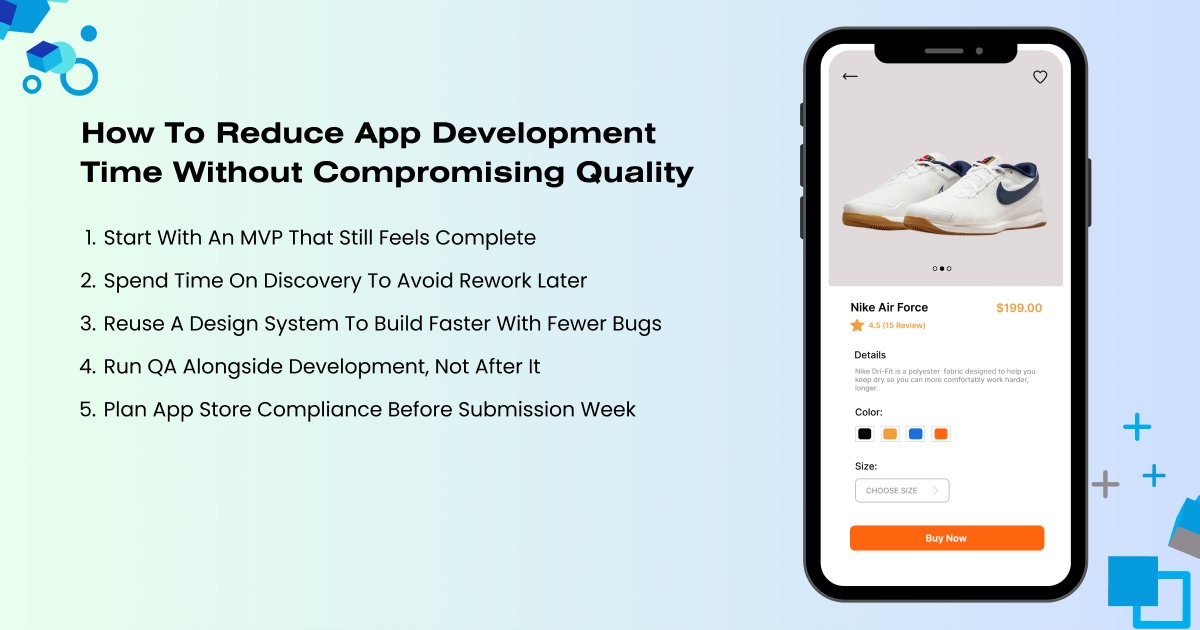
Cutting time safely is about removing rework, not rushing delivery. The fastest teams do fewer things twice. They also avoid late-stage surprises by making key choices early and sticking to them.
Start With An MVP That Still Feels Complete
The safest way to move faster is to ship a first version that solves one clear problem end-to-end. An MVP should still feel complete to the user. It means the main journey works smoothly, payments or bookings work if they are core, and the app does not feel broken or unfinished.
When teams try to launch with every extra feature, they add more screens and more edge cases. That extra complexity increases build time and also increases testing time.
Spend Time On Discovery To Avoid Rework Later
Discovery feels like a delay, but it often saves the most time. When flows, roles, and data rules are unclear, development becomes guesswork, and guesswork turns into rework.
A short discovery phase helps teams lock user journeys, screen logic, and integration needs early. This keeps development focused on execution, not constant changes.
Reuse A Design System To Build Faster With Fewer Bugs
Custom UI is one of the easiest ways to slow down a project. Reusing a design system keeps screens consistent and reduces development effort.
The team builds common components once, then uses them everywhere. This also improves quality because those reusable components get tested more thoroughly, so UI bugs repeat less near the end.
Run QA Alongside Development, Not After It
Testing works best as a continuous process, not a final phase. When QA runs only at the end, bugs arrive in a big wave, and the team spends weeks fixing and retesting. When QA runs as features land, issues are caught early, and the release candidate feels closer to real launch readiness.
Plan App Store Compliance Before Submission Week
Store submission problems can easily add extra cycles at the end, even if the build is ready. Many delays happen because privacy disclosures, permission prompts, or reviewer access are not prepared. When these items are handled early, submission becomes a routine step instead of a last-minute risk.
In some cases, low-code app development can shorten delivery for internal tools and simple workflows. This guide helps you spot where it fits and where it can create limits later.
Wondering How Long It Takes to Build Your App?
Unsure of how long app development will take? Let’s talk and provide you with a clear, detailed timeline tailored to your project!
How Long Does It Take to Build an AI App?
AI apps usually take longer for one reason: uncertainty lives inside the “model behaviour,” not only inside the code.
Two common paths:
1) AI features on top of a normal app (faster path)
Using a proven model API for chat, summarisation, search, or recommendations can keep the build close to a normal timeline. However, you still need extra time for evaluation, guardrails, and prompt testing.
AI timelines often stretch because data prep and evaluation take real effort. This AI app development cost in 2026 guide also shows the main effort drivers, which helps set a more realistic schedule.
2) Custom model behaviour (slower path)
If you need domain tuning, private data pipelines, and strong accuracy targets, expect extra weeks. It includes data prep, labelling workflows, and iteration cycles.
What speeds AI delivery the most is a clear “success definition.” If the team agrees on acceptance tests early (accuracy targets, refusal behaviour, latency limits), the build stays predictable.
Why GMTA Software Is the Right Partner
GMTA Software is built around one promise: predictable delivery. That starts with a discovery that is actually useful, not a generic workshop. The team breaks your idea into clear user flows, user stories, and acceptance criteria so scope is defined before heavy development begins. That step removes the main reason timelines blow up: building features before the rules are clear.
Delivery runs on sprints, so you do not wait weeks to “see progress.” You get working builds, clear sprint goals, and visibility into what is done, what is next, and what is blocked. This keeps stakeholders aligned and reduces late-stage changes that usually create rework.
Quality is treated as part of the workflow, not a separate phase saved for the end. QA runs alongside development, which means bugs are found earlier, and fixes stay smaller. It also keeps the release candidate stable, so the last month does not turn into a scramble.
GMTA also helps with launch readiness, not just coding. Store submissions and compliance checks are planned early, including privacy disclosures, permission prompts, reviewer notes, and test access. This reduces rejection loops and prevents the “we finished the app, but cannot ship” situation.
We hope all your questions about how long app development takes are now cleared. However, if you still have doubts, feel free to opt for GMTA Software’s expert app development services, and we will help you create a tailored blueprint.
FAQs
How long does it take to develop a mobile app in 2026?
A realistic timeline is usually 10-16 weeks if the scope is tight and approvals move fast. However, timelines still shift based on integrations and approvals. A short discovery phase can prevent weeks of rework later.
What usually delays a launch the most?
Slow decisions and late scope changes cause more delay than coding speed. Store review loops and compliance checks can also add unexpected days.
Is cross-platform faster than two native apps?
Often yes for shared UI and logic, but you still need platform-specific testing. The best choice depends on performance needs and device feature usage.
How much time should be reserved for QA?
Reserve multiple weeks, not days, especially if you support many devices. Cutting QA can cost more later since post-release fixes can be far more expensive.
When should security testing happen?
Start early on authentication and data handling, then repeat checks near release. Waiting until the final week can force design changes that push timelines.

Uday Singh Shekhawat has 9+ years of experience covering software architecture, AI/ML development, and technology strategy at GMTA Software. He writes for founders and CTOs evaluating build complexity, technology investment, and vendor decisions — including in regulated industries such as healthcare, where his background in HIPAA-compliant and FHIR-integrated systems informs his perspective on compliance-driven cost factors.