

πŸš€ Launch with Confidence – 6 Months of Free Post-Launch Maintenance. Explore More
+
πŸš€ Launch with Confidence – 6 Months of Free Post-Launch Maintenance. Explore More
+
πŸš€ Launch with Confidence – 6 Months of Free Post-Launch Maintenance. Explore More
+
πŸš€ Launch with Confidence – 6 Months of Free Post-Launch Maintenance. Explore More
+
πŸš€ Launch with Confidence – 6 Months of Free Post-Launch Maintenance. Explore More
+
πŸš€ Launch with Confidence – 6 Months of Free Post-Launch Maintenance. Explore More
Portfolio
Blogs
Contact Us
Premium Team Management App services

Manage MyWorkβ€”
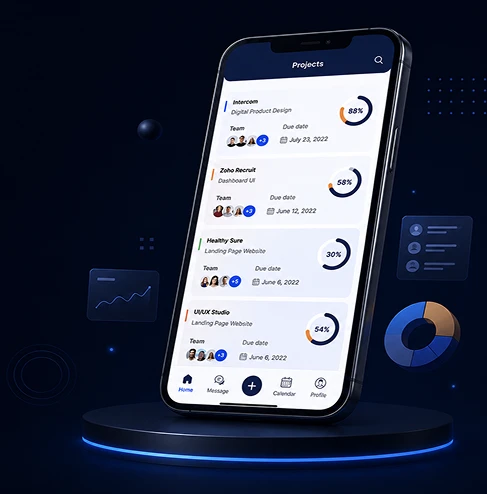
Building a Unified Project Management Platform for Teams That Outgrew Spreadsheets

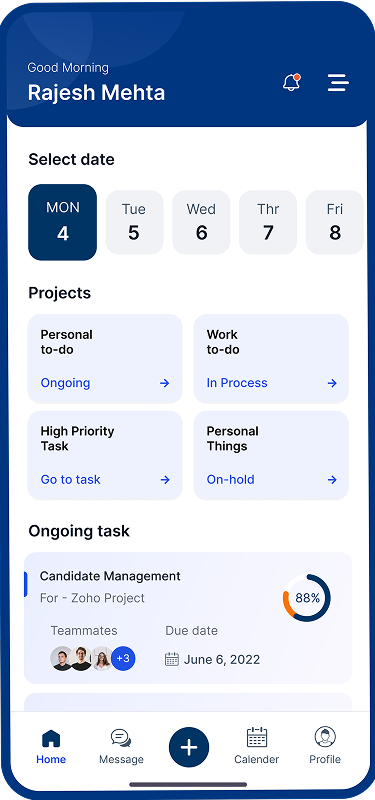
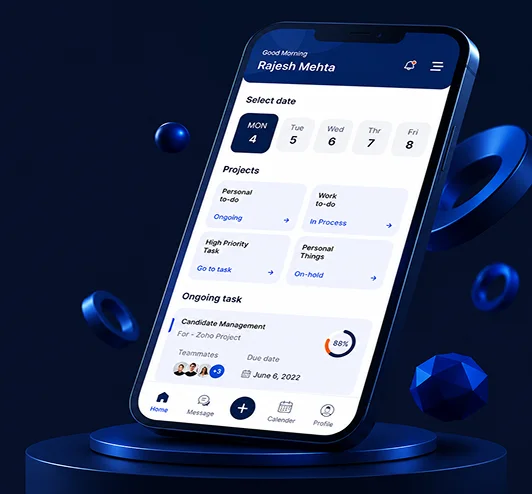
A startup's vision of project management without the chaos β€” built into a fully coordinated iOS, Android, and web platform helping teams track tasks, bugs, timesheets, and milestones in one place.

Premium Team Management App services

Industry

Enterprise Project Management
Premium Team Management App services

Business Type

Startup
Premium Team Management App services

Project duration

4 Months
Premium Team Management App services
Premium Team Management App services Premium Team Management App services

About Client

Manage MyWork was built around a frustration most growing teams eventually run into: tasks live in one tool, bugs get tracked in another, timesheets sit in a spreadsheet nobody updates consistently, and nothing actually talks to anything else. The client's question was whether a single platform could hold milestones, tasks, bug tracking, documents, timesheets, and team pages together, without forcing every team member to jump between disconnected tools just to understand where a project actually stood. Their answer was one connected platform across mobile and web.

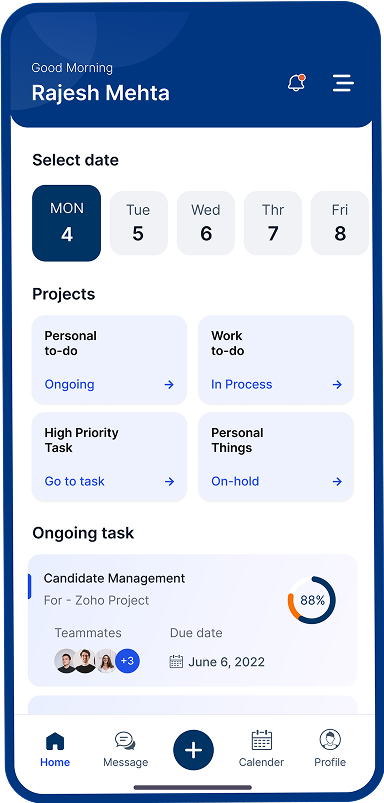
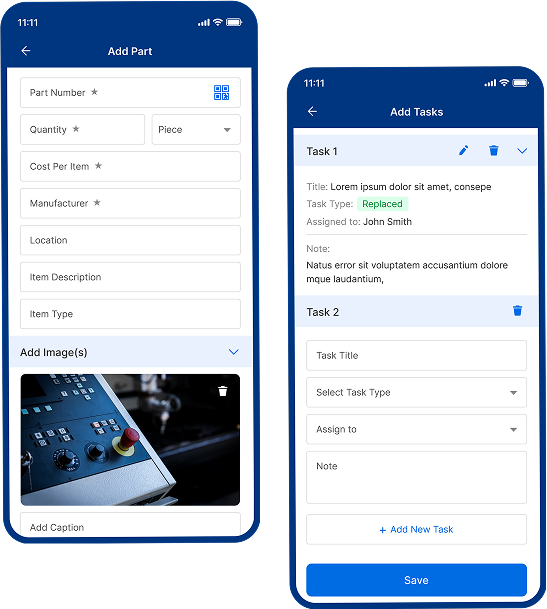
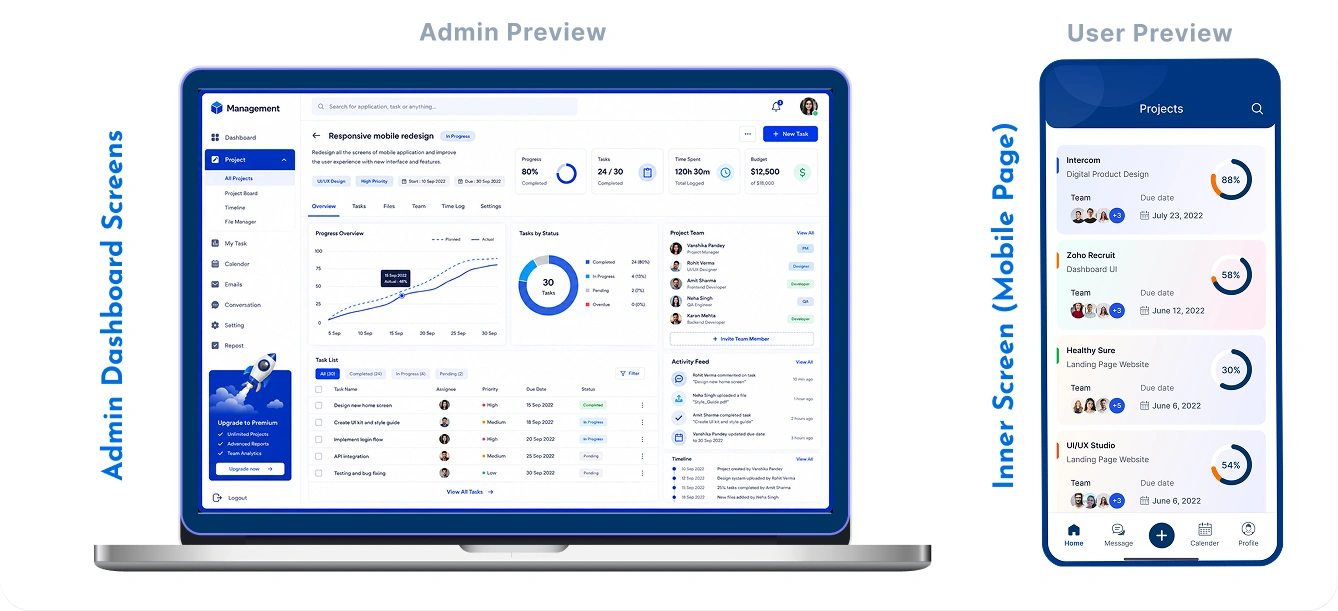
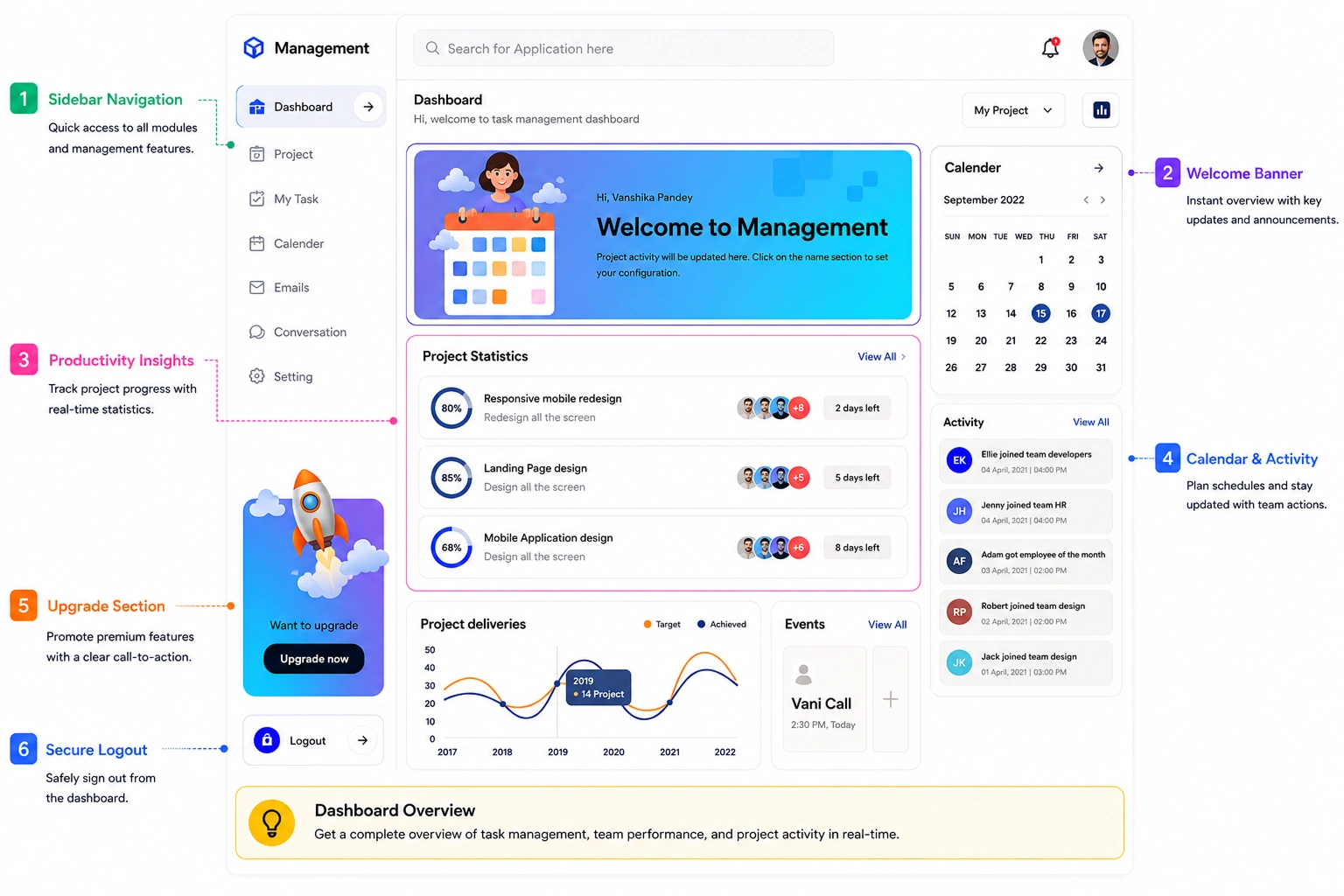
Their answer was one connected platform across mobile and web. Team members break large projects into manageable tasks, log time against specific work, track bugs through to resolution, and see exactly where a project stands. Admins assign dynamic roles, define tasks by team and priority, and manage the entire system from one panel.

About Client Gmta

Why MyWork Points Chose Us

Manage MyWork  GMTA

Project management platforms are a different kind of engineering problem than a simple to-do list. Manage MyWork needed six connected modules β€” milestones, tasks, bugs, documents, timesheets, and pages β€” working as one system rather than six separate tools stitched together. Dynamic role-based permissions, task-to-project linking, and team chat all needed to work across mobile and web consistently, and most project management templates don't handle that combination cleanly.

The client had looked at generic project management templates and found role management shallow, task-to-bug linking absent, and timesheets treated as an afterthought rather than a core module. There was no way to define dynamic roles and responsibilities per user, no team chat tied directly to individual tasks, and no tagging system for filtering work at scale. These were product requirements that needed a custom build.

Challenges That Shaped the Build

01 06

Building a Project Management or Team Productivity Platform?

Multi-module cohesion, dynamic role-based access, and real-time sync across web and mobile all need to work together, not as separate features bolted onto a generic task list.

music App Like Manage MyWork? 6 Months Free Maintenance After Launch
music App Like Manage MyWork?

Our Approach

One Shared Data Layer Across Six Modules

One Shared Data Layer Across Six Modules

Rather than building milestones, tasks, bugs, documents, timesheets, and pages as six separate features bolted together, we architected them around one shared data layer from the start. A task can carry linked bugs, attached documents, and logged time entries all in the same record, so a project manager reviewing progress sees the full picture in one place instead of cross-referencing five different screens. This unified structure also meant that a change made in one module, closing a bug, for instance, propagates correctly wherever that item is referenced elsewhere in the system, without requiring manual updates across modules.

01
Dynamic Role Engine Built Around Real Team Structure 02

Dynamic Role Engine Built Around Real Team Structure

We built the role and permission system to be genuinely dynamic rather than a fixed set of predefined tiers like "admin" and "member." Administrators can create custom roles, define exactly which modules and actions each role can access, and assign responsibilities per user as the team's actual structure evolves. This mattered because real teams rarely fit neatly into two or three access levels, a QA lead needs different permissions than a project manager, who needs different permissions again from a client-facing account manager.

Real-Time Sync Between Web and Mobile 03

Real-Time Sync Between Web and Mobile

Both the mobile apps and the web application run against the same backend and the same real-time data layer, so there's no separate sync process reconciling two different data stores after the fact. When someone logs time against a task from their phone during a client visit, that entry appears immediately on a colleague's web dashboard back at the office, with no refresh delay or manual sync step required, ensuring consistent project visibility, accurate reporting, seamless collaboration, and uninterrupted operational efficiency.

Timesheets Woven Into the Task Workflow

Timesheets Woven Into the Task Workflow

Rather than building timesheets as a standalone module competing for attention against everything else, we tied time logging directly into the task interface itself. When a team member opens a task to update its status, logging time against that same task takes a single additional tap, rather than requiring a trip to a completely separate timesheet screen later in the day. This proximity between the work and the time-tracking action was a deliberate design decision, since timesheet tools fail most often not because logging time is hard, but because it's disconnected from the moment the work actually happened.

04
Streaming Pipeline Built for Stability

Process We Followed

01 Discovery and Compatibility Architecture Discovery and Compatibility Architecture
Discovery and Compatibility Architecture

Discovery and Compatibility Architecture

Before development began, we mapped how port type, power requirements, and station specs needed to relate to each other, defined the route-aware discovery logic, and designed the admin panel around how operations would actually scale city by city. This gave the development team a clear technical foundation before implementation began.

  • Vehicle-to-station compatibility model mapping
  • Route-aware discovery logic definition
  • Prepaid and postpaid billing flow design
  • Admin panel wireframes and city-level permission structure
02 Core Development β€” Apps and Admin Panel Core Development β€” Apps and Admin Panel
Core Development β€” Apps and Admin Panel

Core Development β€” Apps and Admin Panel

The customer app, admin panel, and backend were developed concurrently, with compatibility filtering, real-time availability, and city-based admin controls built in parallel rather than sequentially, to keep search results and station data consistent from the start. This approach also allowed integration issues to be identified and resolved early.

  • Compatibility-first search engine built into core query logic
  • Real-time power point status tracking implemented across the network
  • Admin panel built as a first-class productβ€”stations, cities, and roles
  • iOS Swift and Android apps integrated against the same backend
03 QA, Load Testing, and Launch QA, Load Testing, and Launch
QA, Load Testing, and Launch

QA, Load Testing, and Launch

All station data and billing flows were tested against real-time availability accuracy, compatibility matching edge cases, and role-based access boundaries before submission to the App Store and Google Play. We also validated station discovery and billing behavior under varying network conditions to ensure reliable performance.

  • Compatibility matching accuracy testing across vehicle and station types
  • Real-time availability and route-discovery testing under load
  • Role-based admin access and city-level permission testing
  • Launch across iOS, Android, and the web admin panel

Business Impact

Connected Modules 6

Connected Modules

Milestones, tasks, bugs, documents, timesheets, and pages all run on one shared platform instead of six disconnected tools.

Platforms, One Backend 3

Platforms, One Backend

iOS, Android, and the web application all sync in real time against the same underlying data layer, without synchronization conflicts or delays.

Faster Status Updates 40%

Faster Status Updates

Task and bug status changes reflect across the platform significantly faster than teams previously experienced using separate, disconnected tools.

Sazpay Sazpay

Ready to Build a Platform Your Team Will Actually Use?

From dynamic roles to real-time sync, we build enterprise tools designed around how teams actually work, not how a template assumes they should.

Next Success Story
Gmta Location
Jaipur

Jaipur

C-305, 2nd Floor, Jan Path, Nirman Nagar, Jaipur, Rajasthan 302019

Bengaluru

Bengaluru

No. 4C-432, 2nd Floor, 2nd block, HRBR Layout, Kalyan Nagar, Bengaluru, Karnataka, India 560043

Singapore

Singapore

55 Serangoon North Avenue 4 (S9) #09-01 Singapore 555859

USA

USA

10685-B Hazelhurst Dr. # 41817 Houston, TX 77043 USA

Japan

Japan

1 Chome-2-9 Minato City Tokyo, Japan γ€’105-0021

Γ—
CallCall
Whatsapp Whatsapp
Email Email